A home NAS is a small always-on box whose only job is to hold your files and make them reachable from every device in the house. People turn to one when a single laptop or a drawer of external drives stops coping, when photos are scattered across machines with none backed up, or when two people need the same files without emailing them around. Setting one up sounds technical, and a few models are, but the core idea is plain. This guide covers what a NAS gives you, what it costs to run, and when a simpler option would serve just as well.
What a NAS actually gives you
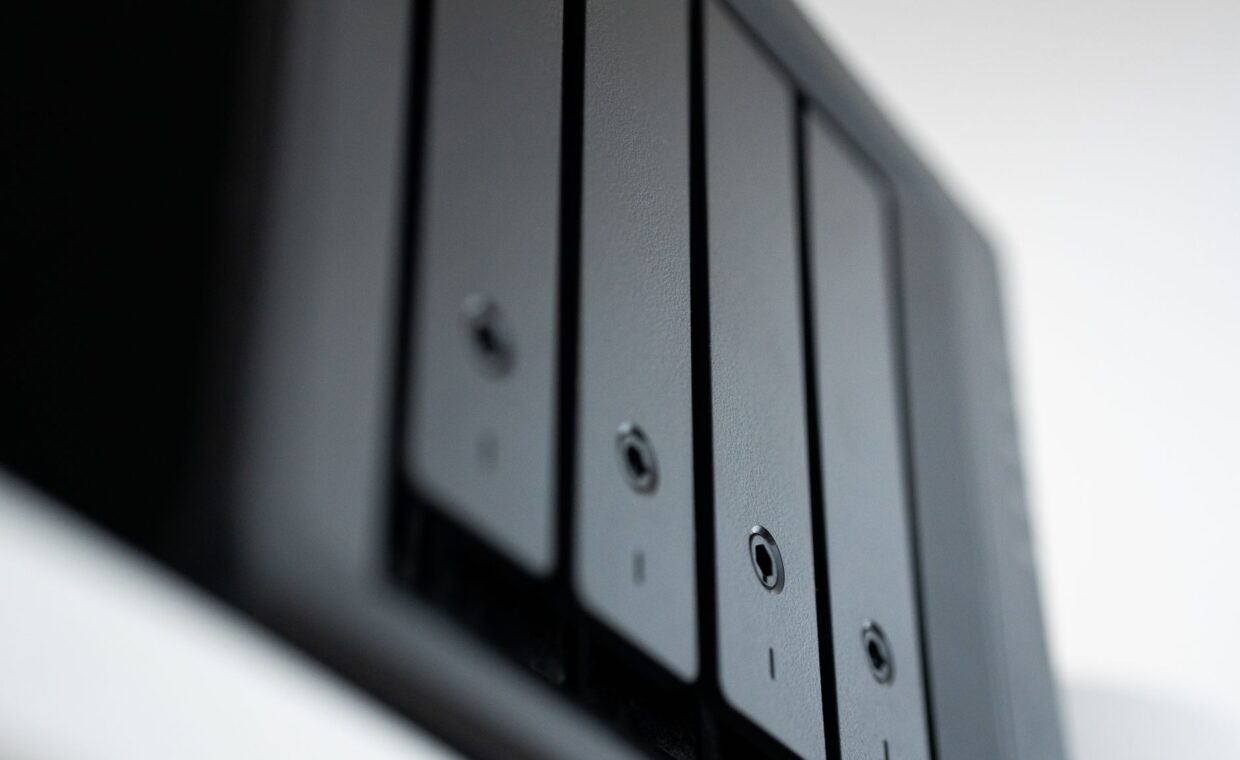
At its simplest, a NAS is one or more drives attached to a tiny low power computer that stays on and speaks to your network. Instead of files being trapped on a single laptop, they sit in a central place that phones, tablets, televisions, and computers can all reach. A shared photo library stops being duplicated badly across devices, media can stream to a television without a PC being awake, and two people can work from the same folders without passing drives around.
Most units run a friendly web interface, so daily use feels like a private cloud in your own home. For anyone building the kind of setup our piece on a photo and video workflow lays out, a NAS becomes the natural hub the fast working drives feed into. A few plain terms make the rest easier to follow.
| Term | What it means in plain words |
|---|---|
| NAS | A small always-on box of drives, shared over your home network |
| Volume | The usable storage pool built from the drives you install |
| RAID | Combining drives so a single failure need not lose data, or so reads run faster |
| Redundancy | Holding enough spare copies that losing one drive is survivable |
| Share | A folder on the NAS that chosen devices are allowed to open |
Drives and surviving a single failure
A NAS usually holds several drives, and how you combine them decides what happens when one dies. RAID arrangements let two or more drives store data so that losing any one of them costs only the time to slot in a replacement, while the others rebuild the missing copy. This is redundancy, and it is the main reason people accept the cost and bulk of a multi-drive box over a single external disk.
Redundancy is not immortality, though. Drives from the same batch can fail close together, and a rebuild stresses the survivors hard. Whether you fill the bays with hard drives or solid state disks, both wear with use, the process the explainer on how solid state memory wears down describes for flash. Planning for a drive to fail, rather than hoping none will, is the mindset a NAS rewards.
Reaching your files across the network
Access is the everyday face of a NAS. On your home network you open its shared folders much like any other drive, or point an app straight at them. Many units also allow secure access from outside the house, so a phone on mobile data can still reach a document, depending on how carefully that remote door is set up.
Speed here is governed by the network, not the drives. A standard wired link runs at gigabit Ethernet, which caps real transfers at roughly 110 megabytes a second whatever sits inside the box. That ceiling is why the gap our guide to where a fast disk interface matters examines so rarely shows over a home network.
Where an SSD cache helps and where it stops
Some NAS models let you add a solid state disk as a cache in front of the slower hard drives, holding recently used files so they return quickly. The benefit is real but bounded, because a cache only helps while the data you want is still in it, and speed settles back toward the hard drives once it fills, the pattern the primer on why a full SSD cache slows down lays out. For most home use, the network limit bites first.
Quick answers
Because a NAS runs continuously, its running cost is worth a thought. A small two-bay unit with hard drives typically draws between 15 and 40 watts depending on whether the disks are spun up, modest over a year but real. Solid state disks cut both the draw and the heat, at a higher price per gigabyte. Drives that park themselves when idle keep the average lower.
Noise follows from the same parts. Spinning hard drives hum and click, and a small fan pushes warm air from the case, so a NAS in a quiet bedroom can be audible at night. In a cupboard, a hallway, or a home office, it usually fades into the background. Solid state disks remove the drive noise entirely and leave only the fan.
When a NAS is more box than you need
A NAS earns its place when files genuinely need to be shared, always available, and protected against a drive failing. If your needs are simpler, one person, one laptop, a single folder of documents, then a good external drive plus an online backup covers the same ground for far less money. Buying a multi-drive appliance for data that never leaves one machine is effort spent on a problem you do not have.
The honest test is whether more than one device or person truly needs the same files at once, and whether losing a single drive would otherwise set you back. If neither is true today, a simpler setup will serve, and a NAS can wait until your storage outgrows it.
Deciding whether the box earns its place
A home NAS is best understood as a small piece of household infrastructure rather than a gadget. It brings your files together, keeps them reachable, and, with redundancy, shrugs off a single drive failing, in exchange for a modest power draw, some fan noise, and an evening of setup. For a household juggling several devices and a growing pile of photos and video, that trade is usually worth making.
For a lighter load it can be more machine than the job asks for. The sensible path is to size the solution to the real problem, start with the storage and sharing you actually need, and step up to a NAS only when the data and the people relying on it make the central box the calmer choice.
Frequently asked questions
What is a NAS and do I need one?
A NAS is a small always-on box of drives shared over your home network, giving every device one central place for files. You need one if several people or devices must reach the same data, if you want media available without a PC running, or if you want a drive to be able to fail without losing anything. For a single user with one laptop, it is usually more than necessary.
Is a NAS a backup?
Not on its own. Redundancy inside a NAS protects against a drive failing, but it does nothing against deletion, ransomware, theft, fire, or a mistake that overwrites good files, because all of those hit every copy in the box at once. A NAS becomes part of a backup plan only when its contents are also copied somewhere separate, ideally at another location.
How much power does a NAS use?
A typical two-bay home NAS with hard drives draws roughly 15 to 40 watts, less when the disks spin down and more during heavy activity. Over a year that is a small but real addition to a power bill. Units built around solid state disks use less and run cooler, though they cost more for the same capacity, so the choice trades running cost against purchase price.