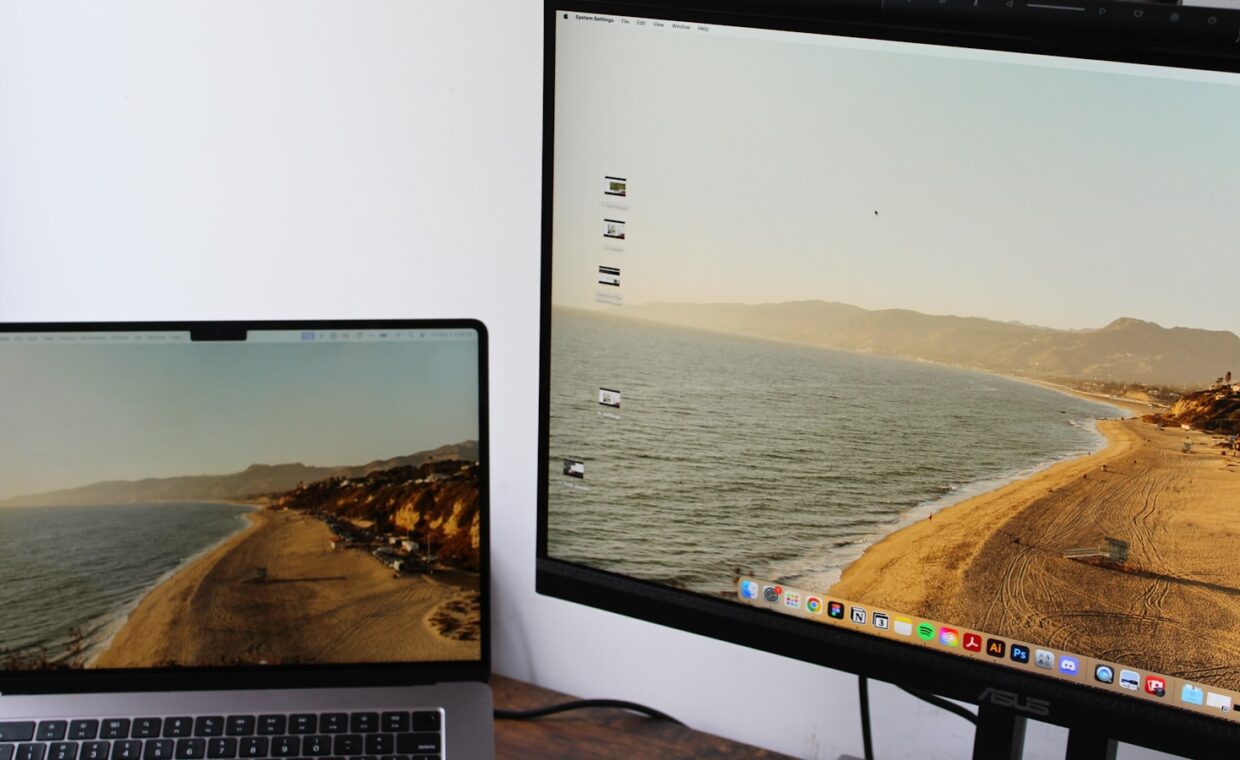
Screen size is the first number most people notice on a laptop, and it quietly shapes the entire experience of owning one. It sets how much you can see at a glance, how heavy the machine feels in a bag, and how comfortable a long session becomes. Yet the inch figure on its own tells you less than it appears to, because resolution, scaling and the body around the panel all pull on the outcome. This guide helps you match a size to the way you truly work and travel, instead of defaulting to the largest or smallest option out of habit.
What the diagonal inch really measures
A laptop’s size is quoted as the diagonal distance across the screen, corner to corner, not its width or height. Two laptops with the same diagonal can still show different amounts of content if their panels have different shapes, since a taller aspect ratio gives more vertical room for documents and web pages. So treat the inch number as a rough guide to physical footprint first, and remember that usable area also depends on the panel’s shape and sharpness.
Bezels, the borders around the glass, muddy the picture further. Two 14-inch laptops can have very different overall footprints if one wraps the panel in slim borders and the other leaves a thick frame, so a compact 15-inch machine with narrow bezels may take up little more desk space than an older 14-inch one.
How common sizes trade portability for area
The familiar sizes each strike a different balance. A 13-inch laptop is light and slips into almost any bag, at the cost of a smaller canvas that can feel tight with several windows open. A 14-inch model has become a popular middle ground, adding useful space while staying easy to carry. A 15-inch machine gives room to work with two windows side by side, and a 16-inch panel offers the most area for detailed work, though it asks for a larger bag and a heavier load.
None of these is simply better. Each moves you along a line from easy to carry toward comfortable to stare at, and the right spot depends on where you spend most of your hours.
Screen shape plays into this as well. A 16-inch panel in a taller ratio can feel far more spacious for writing and coding than a 15-inch widescreen, because the extra height shows more lines at once without any more scrolling.
| Size | Screen area | Portability | Best suited to |
|---|---|---|---|
| 13 inch | Compact | Very easy to carry | Frequent travel, lighter tasks |
| 14 inch | Balanced | Easy to carry | General all-round use |
| 15 inch | Roomy | Moderate | Side-by-side windows at a desk |
| 16 inch | Largest | Bulkier | Detailed, mostly stationary work |
Why resolution and scaling matter as much as size
Two screens of the same size can feel very different depending on how many pixels they pack and how the system scales the picture. A sharp, high-resolution 14-inch panel can show more crisp detail than a coarse 15-inch one, and scaling settings let you trade that sharpness for larger text or fit more on screen. Because so much rides on these figures, our coverage of reading a display’s specification is a useful companion when you compare models.
Comfort during long viewing also depends on how the backlight is controlled, an aspect that varies between panels and can affect sensitive eyes. The explanation in the piece on how some screens dim their backlight covers why two similar-looking displays can feel different over a full day at a desk.
Weight and bag-fit implications of larger panels
A bigger screen brings a bigger chassis, and the extra glass, battery and frame add up. The difference between a 13-inch and a 16-inch laptop is often a kilogram or more, which is easy to shrug off in a shop and harder to ignore on a daily commute. Larger machines also need a roomier bag and can be awkward on a cramped train tray or an aircraft table. Thickness and charger size add to the real load you carry, since a slim 14-inch machine with a small power brick can weigh less in the bag than the raw screen size suggests, while a large model may travel with a heavier adapter you feel by the end of a long day.
If you carry the laptop often, that weight and footprint deserve real weight in your decision, along with how well the machine survives being moved around, a subject the advice on carrying a laptop without damage addresses directly.
Who benefits from bigger versus smaller
People who work mainly at one desk, edit images or video, or keep many windows visible tend to gain the most from a 15 or 16-inch panel. Those who commute daily, work in cafes or lecture halls, or simply value a light bag are usually happier at 13 or 14 inches. Anyone who wants a screen that folds back for reading or sketching should also look at flexible designs, since the trade-offs shift again when the hinge does more, as the review of whether a flip-screen laptop holds up explains.
Eyesight is a quiet factor too. A larger screen lets you keep text at a comfortable size without cramming, which many people find easier over long stretches, while others prefer a smaller, sharper panel that they hold a little closer.
Making the choice
Rather than starting from a number, start from a typical week. Count how many hours the laptop spends on your lap, on a train, or fixed to a desk, and picture the tasks that fill the screen. If most of that time is spent moving around, lean smaller and lighter. If most of it is spent seated and focused, lean larger and roomier.
Then let resolution settle the fine detail, since a sharper smaller screen can rival a duller larger one for usable space. A size chosen this way fits your routine rather than a spec sheet, and it is the kind of decision you stop thinking about because it simply suits you day to day. An external monitor can change the sum as well, since a small laptop paired with a desk screen gives a wide canvas at home and a light bag on the move.
Frequently asked questions
Is a 13-inch laptop too small for everyday work?
For most everyday work it is fine, especially with a sharp screen and sensible scaling that fit plenty on the display. Writing, browsing, email and general tasks all sit comfortably on a 13-inch panel. It feels tight only when you regularly place two full windows side by side or work with large spreadsheets, where a 15 or 16-inch screen gives more breathing room.
Does a bigger screen always mean a heavier laptop?
Usually, but not always by much. A larger panel needs a larger chassis, more frame and often a bigger battery, so weight tends to rise with size. Materials matter too, and a well-built 15-inch laptop in light alloy can weigh less than a cheaper 14-inch one in thicker plastic. Treat size as a strong hint about weight, then check the actual figure.
What screen size is best for working on the go?
For frequent travel, 13 or 14 inches usually works best. They are light, fit small bags and cafe tables, and stay comfortable on a lap or a train tray. A 14-inch model is a sensible default, giving noticeably more screen than a 13 while remaining easy to carry. Choose 15 inches only if the extra area matters more to you than the added bulk.