A mechanical hard drive stands out as one of the few parts of a computer that still physically moves, and that movement explains almost everything about how it behaves: its speed, its noises and its fragility. Inside a sealed metal case, spinning discs and a swinging arm cooperate thousands of times a second to store and retrieve your files. Knowing how those parts work together makes sense of why a hard drive feels slower than solid state storage, why dropping one is risky, and what the numbers on the label really describe.
Platters, heads and the arm that moves them
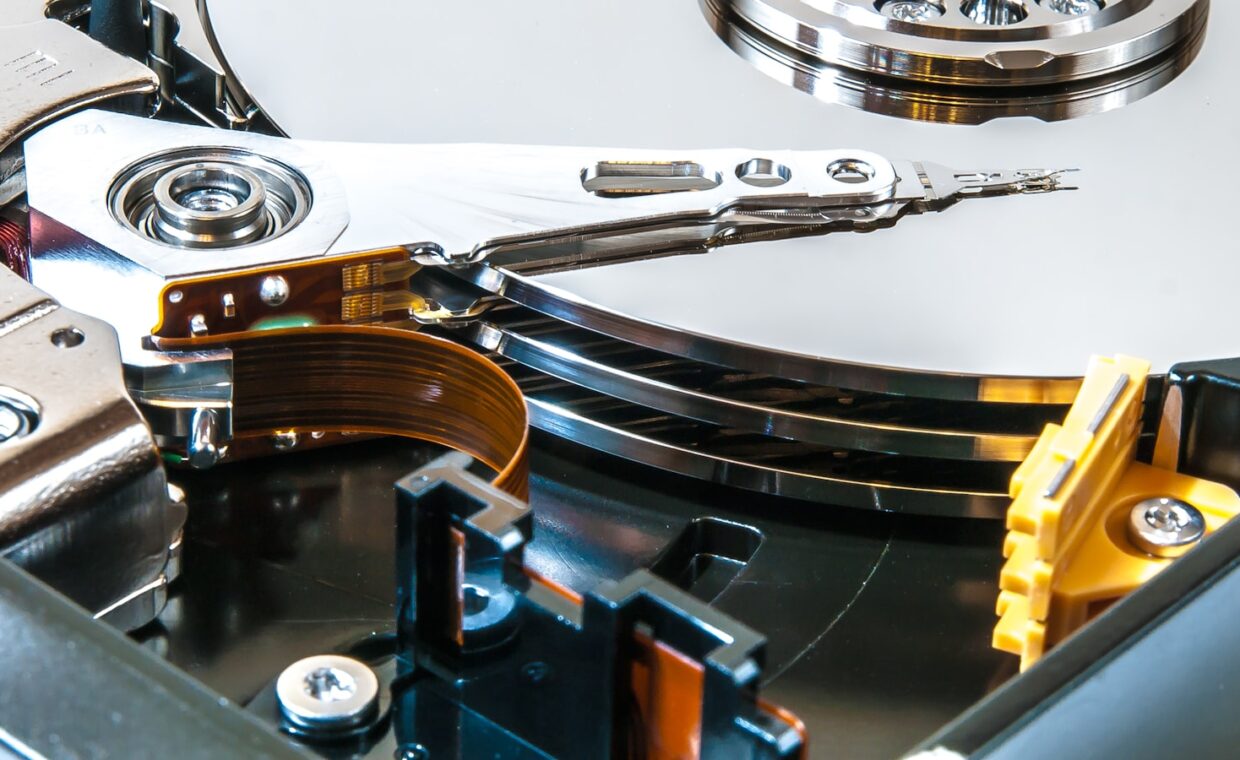
The heart of a hard drive is a stack of rigid discs called platters, each coated with a thin magnetic layer. Data is stored as microscopic magnetised regions on those surfaces, with each region standing for a one or a zero. The platters are fixed to a spindle that spins them at a constant rate whenever the drive has power.
Hovering just above each platter surface is a read/write head, a tiny sensor that can both detect the existing magnetic pattern and change it. The heads ride on the end of an actuator arm, which swings across the platters like the tone arm on a record player, though far faster and with far more precision. In normal use the head never touches the surface; it floats on a cushion of air a fraction of the width of a human hair above the spinning disc.
How the surface is organised
A platter is not a blank field. Its surface is divided into thousands of concentric rings called tracks, and each track is split into short arcs called sectors, the smallest chunk the drive reads or writes at once. A sector traditionally held 512 bytes, though modern drives use larger 4,096 byte sectors. The drive keeps a map of where each track and sector sits so it can send the head to an exact location.
Stacking more platters and packing tracks closer together is how makers raise the total a drive can hold, a process our look at how storage totals add up walks through. Because a spinning drive reads a track fastest when a file sits in one continuous run, keeping related data together matters, which is exactly why rearranging files helps a mechanical disc but does little for flash, as the article on reorganising a solid state drive explains.
The main parts and their jobs
It helps to see the pieces side by side before following what they do together, because each one has a single clear role in turning magnetic marks into readable files.
| Component | Role in the drive |
|---|---|
| Platter | Magnetic disc that physically holds the data |
| Read/write head | Senses the pattern and rewrites it |
| Actuator arm | Swings the heads to the chosen track |
| Spindle motor | Spins the platters at a steady speed |
| Controller | Directs the mechanism and buffers data in cache |
Spin speed and seek time
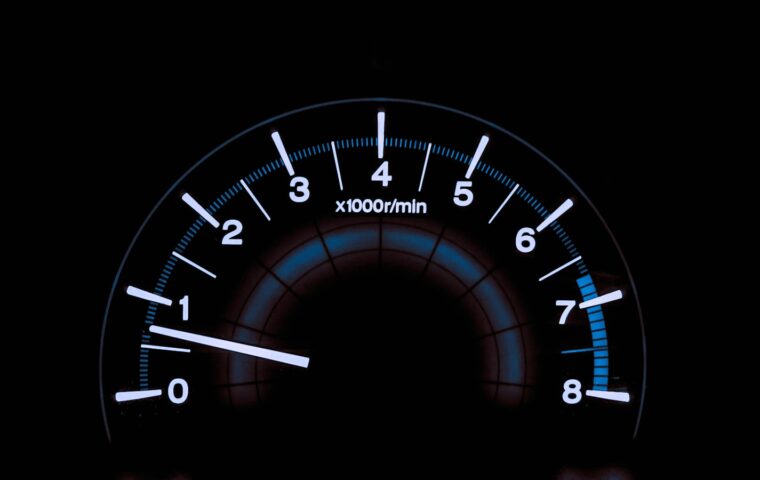
Two numbers set the pace of a hard drive. The first is rotational speed, measured in revolutions per minute. A 7,200 RPM drive spins faster than a 5,400 RPM one, so any given sector returns under the head sooner, shortening the wait for data. The second is seek time, the few milliseconds the actuator arm needs to move the head to the correct track.
Every read or write pays both costs: the arm must reach the right track, then the platter must rotate until the target sector arrives. Those delays are tiny on their own, a handful of milliseconds, but they repeat for every scattered piece of a file, which is why a mechanical drive slows noticeably when data is spread across the surface. Faster spin and shorter seeks both trim that overhead.
The controller and cache
A small circuit board on the underside of the drive runs the whole mechanism. Its controller translates requests from the computer into precise movements of the arm and timing of the platters, and it holds a small pool of fast memory called cache. That cache stores data the drive expects to need next, or holds incoming writes for a moment, so the mechanism is not asked to fetch every byte from the platter the instant it is wanted. Cache smooths bursts of activity, but it cannot hide the basic mechanical delays for long.
Why the mechanism is fragile
The precision that makes a hard drive work is also its weakness. With the head flying microscopically close to a platter turning thousands of times a minute, a sharp knock can slam the two together and scar the magnetic surface, a failure called a head crash. That is why a running drive is far more vulnerable to a drop than an idle one, and why drives built for different duty cycles matter, a distinction the comparison of drives made for constant use draws out.
Wear also accumulates over years as motors, bearings and the arm mechanism age. Drives track their own condition through internal counters you can inspect, and learning to read that information, as the walkthrough on a drive’s built-in health report shows, can give warning before a marginal drive fails outright. Heat, vibration and sudden power loss all shorten a mechanical drive’s life more than they would a chip based one.
What the design means in practice
Once you picture the moving parts, the character of a hard drive falls into place. It is a mechanical instrument doing a delicate job at speed, which makes it strong at storing large amounts of data cheaply and weak at the rapid, random access modern software often wants. The spinning platter is both the reason a drive holds so much per pound and the reason it trails flash for everyday responsiveness.
For a desktop that stays put, or for bulk storage of photos and backups, the mechanics are a sensible trade. For a laptop that gets carried around, or for the drive your operating system runs from, the fragility and the seek delays weigh more heavily. Understanding the machinery lets you match the drive to the task instead of judging it on price per terabyte alone.
Common questions
Why do hard drives make clicking or whirring noises?
The steady whir is the platters spinning and the motor holding them at speed. Faint ticking is usually the actuator arm stepping between tracks as it looks up data, which is normal. Loud, repeated clicking is a warning sign, often the arm failing to find its position and resetting again and again. A sudden change in the sound is worth backing up for.
What does 7200 RPM mean?
It means the platters complete 7,200 revolutions every minute. A faster spin brings each sector back under the head sooner, so the drive waits less between reads and generally performs better than a 5,400 RPM model. The trade is a little more heat, noise and power draw. RPM is only part of the speed picture, since seek time and data layout also count.
Why are hard drives slower than SSDs?
A hard drive must physically move an arm and wait for a spinning platter to bring data around, and those mechanical steps take milliseconds. A solid state drive, by contrast, holds no moving components and reaches any block purely electronically in a fraction of that time. The gap is widest for scattered, random reads, where a mechanical drive keeps repositioning while flash simply addresses the next location.