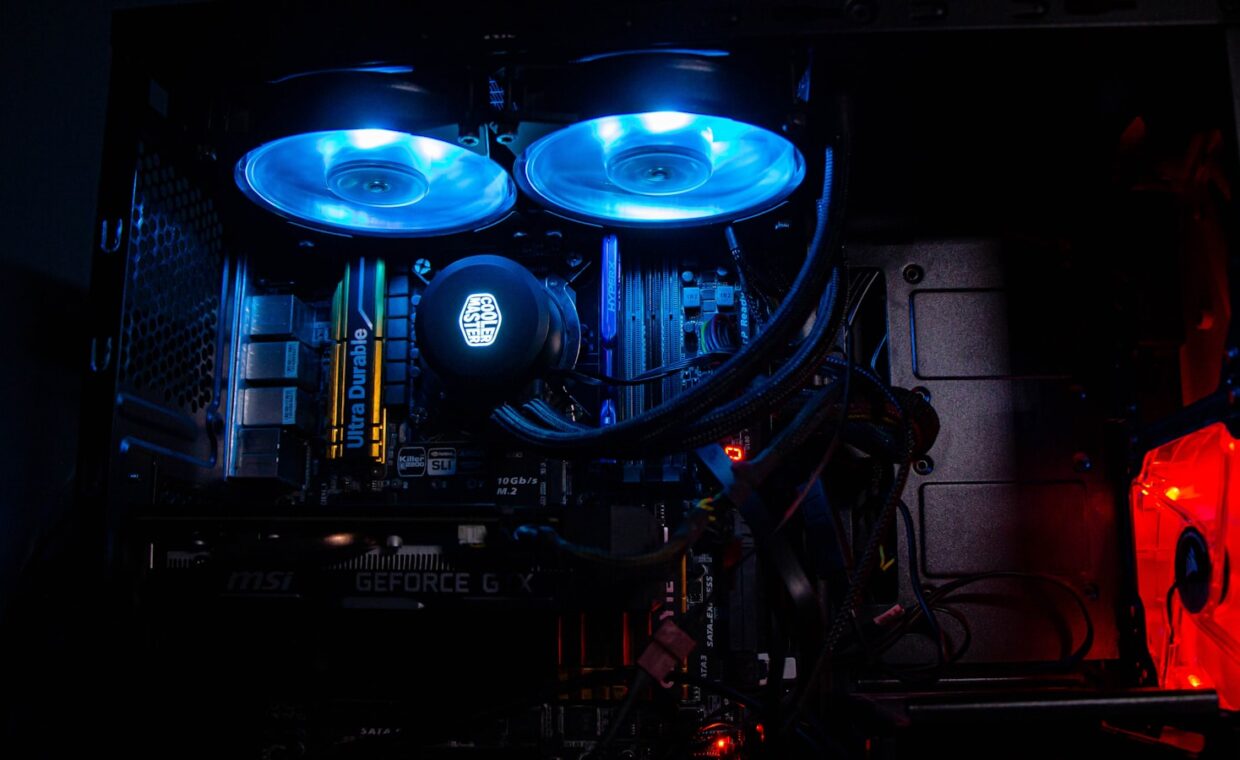
Building or upgrading a desktop eventually forces a choice between a tall metal tower of fins bolted over the processor and a sealed pump-and-radiator kit that moves liquid around the case. Both stop a CPU from overheating, both come in budget and premium versions, and both attract strong opinions in forums. What often gets lost is that they solve one problem in different ways, each with trade-offs that matter for some builds and barely register for others. This comparison weighs them on cooling ability, noise, physical fit, reliability and cost, so the decision matches the machine you actually own.
How each cooler moves heat
Every cooler does the same basic job, carrying heat from the small hot surface of the processor to a larger surface where a fan can blow it into the room. An air cooler manages this with a metal baseplate pressed against the chip, heat pipes that wick warmth up into a stack of thin aluminium fins, and one or two fans pushing air through those fins. The metal never moves; only the heat travels along it.
A liquid cooler, usually sold as a sealed all-in-one or AIO, swaps the fin stack for a small pump sitting on the chip and a radiator mounted to a case wall. A water-based fluid absorbs heat at the pump, flows through tubes to the radiator, and releases it there before circulating back. Because water holds heat well and the radiator can be large, an AIO shifts a lot of energy without a huge block sitting over the socket. Both designs still depend on the thin layer of paste between chip and cooler doing its job, the reason the explainer on how thermal paste bridges the gap is worth reading before you mount anything.
Noise, size and physical fit
Noise comes mostly from fans and, on liquid kits, the pump. A large air cooler can run its fans slowly because the fin area is generous, which tends to be quiet under everyday load. A 240mm or 360mm radiator can also be quiet, yet it drives two or three fans plus a pump that adds a faint whine some people notice in a silent room. Neither type is automatically louder; a cheap version of either can be the noisiest thing in the case.
Size is where they differ most. Tall air coolers can block tall memory modules or bump against a side panel, so height clearance matters. Liquid coolers move the bulk to a radiator, freeing space around the socket but demanding a case with mounting points for a 240mm or larger radiator. Before buying, check both the cooler height limit and the radiator support your case lists, since a part that will not fit is no part at all.
Reliability and what can fail
An air cooler has one moving part per fan and nothing else, so its failure modes are simple. A fan bearing wears out after years and starts rattling, and you replace a cheap fan. The heat pipes and fins last effectively forever. There is no fluid to lose and no pump to seize, which is part of why so many builders treat air as the safe default.
A liquid cooler adds a pump, a second thing that can fail, and a small amount of fluid that very slowly evaporates through the tubing over many years. A dead pump means temperatures climb fast, because a stopped AIO cools far worse than any air tower. Leaks are rare in modern sealed units but not impossible. Air also keeps a gentle breeze moving across the board around the socket, which helps the voltage regulators near the CPU, the components our guide to why the power stage overheats looks at in detail.
Matching the cooler to the chip and case
The starting point is how much heat the processor makes, expressed as its rated power draw. A modern six or eight core chip with a middling power figure is comfortable on a good mid-size air cooler. A high core count part pushed to its limits, or one you plan to overclock, produces more sustained heat and benefits from a larger radiator. Reading the rated figure honestly, the subject the article on what a processor’s power rating means unpacks, keeps you from over or under buying.
Case airflow matters as much as the cooler itself. A cramped case with one exhaust fan will limit any cooler, while a well ventilated case lets a modest tower punch above its price. Under long, heavy loads the real difference between coolers shows up as how well each holds clock speed once the chip is hot, which the piece on holding speed under long loads examines closely.
Side by side on the factors that matter
The table below sums up the practical differences for a typical build rather than an extreme one.
| Factor | Air cooler | Liquid AIO |
|---|---|---|
| Peak cooling | Strong up to high mid-range heat | Higher ceiling on hot chips |
| Noise at idle | Very quiet, fans only | Quiet, plus faint pump |
| Space around socket | Bulky tower | Open, radiator on wall |
| Parts that can fail | Fan bearing | Fan, pump, slow fluid loss |
| Typical lifespan | Very long | Long, pump limited |
Making the choice
For most people building a mainstream desktop, a good air cooler is the calmer engineering choice, with fewer parts to fail and a lifespan measured in many years. It handles the majority of processors without drama, stays quiet, and costs less. The main reasons to step up to liquid are a very hot processor, a plan to overclock hard, a small case where a tall tower will not fit, or a preference for the look of a clean socket area and a radiator behind a fan grille.
Liquid cooling is not fragile or foolish; millions of sealed units run for years without trouble. It simply trades a little long-term simplicity for a higher heat ceiling and different packaging. Decide by starting with the processor’s heat output and the space inside your case, then let noise preference and budget settle the rest. Framed that way, the choice stops being a rivalry and becomes a fit question with a clear answer for your particular build.
Answers to common questions
Is liquid cooling worth it over a good air cooler?
For a hot, high core count or overclocked processor, or a case too tight for a tall tower, a liquid kit earns its price by keeping temperatures and clock speeds steadier. For a mainstream chip in a roomy case, a quality air cooler matches it in practice for less money and with fewer parts that can fail, so the upgrade is optional rather than necessary.
Can an AIO liquid cooler leak?
It can, though modern sealed units rarely do. Tubing, fittings and the pump housing are factory assembled and tested, so a leak usually points to physical damage or a rare manufacturing fault rather than normal wear. Over many years the fluid also thins slightly through evaporation. Buying from a reputable maker and checking for a warranty that covers any leak damage sensibly lowers the small risk.
Do I need liquid cooling for a normal PC?
No. A typical desktop with a mainstream processor runs cool and quiet on a mid-range air cooler, and many bundled coolers are adequate for light use. Liquid cooling becomes useful only when heat output is high, the case is very compact, or you want the specific look. For ordinary browsing, office work and gaming on a mid-tier chip, air is plenty.