Most complaints about laptop charging come down to one misunderstanding: USB Power Delivery is a negotiation, not a wattage. A charger does not push power into a laptop. The two devices agree on a voltage and a current, and if they cannot agree on something adequate, you get slow charging, no charging, or charging that only works when the machine is asleep.
How the negotiation works
When a USB-C charger and a laptop connect, the charger advertises a list of power profiles it supports, each one a voltage and a maximum current. The laptop picks the highest profile it can use and requests it. The charger switches to that voltage and the laptop draws up to the agreed current.
USB Power Delivery defines a set of fixed voltages, commonly 5V, 9V, 15V and 20V, with 28V and above available in the extended power range added in the 3.1 revision published in 2021. Wattage is simply voltage multiplied by current, so a 65W charger is typically offering 20V at 3.25A as its top profile.
This is why a charger rated at 65W will charge a laptop that wants 45W without any problem, and why a 30W charger connected to a machine that wants 65W produces a laptop that charges slowly or not at all under load. The laptop takes what it can negotiate, and no more.
What the profiles mean in practice
| Charger rating | Typical top profile | Realistic use |
|---|---|---|
| 20W to 30W | 9V or 15V | Phones and tablets. Will trickle charge a small laptop when idle |
| 45W | 20V at 2.25A | Thin and light laptops with low power processors |
| 65W | 20V at 3.25A | The common mainstream laptop figure |
| 100W | 20V at 5A | Larger laptops, or smaller ones charging while under heavy load |
| 140W and above | 28V, extended power range | Workstation class machines, requires a cable rated for it |
Why the machine charges slowly under load
A laptop connected to a 65W charger while running a demanding task may be drawing 55W for the processor and display alone. The remaining 10W goes to the battery, so it charges at a fraction of its normal rate, or the charge level slowly falls despite being plugged in.
This is not a fault. It is the power budget being allocated to the work you asked for. The same machine plugged into a 100W charger would run the workload and charge simultaneously. This interaction is worth understanding before concluding that a battery is failing, and the separate question of genuine capacity loss is broken down under how a cell loses capacity.
Cables are part of the circuit
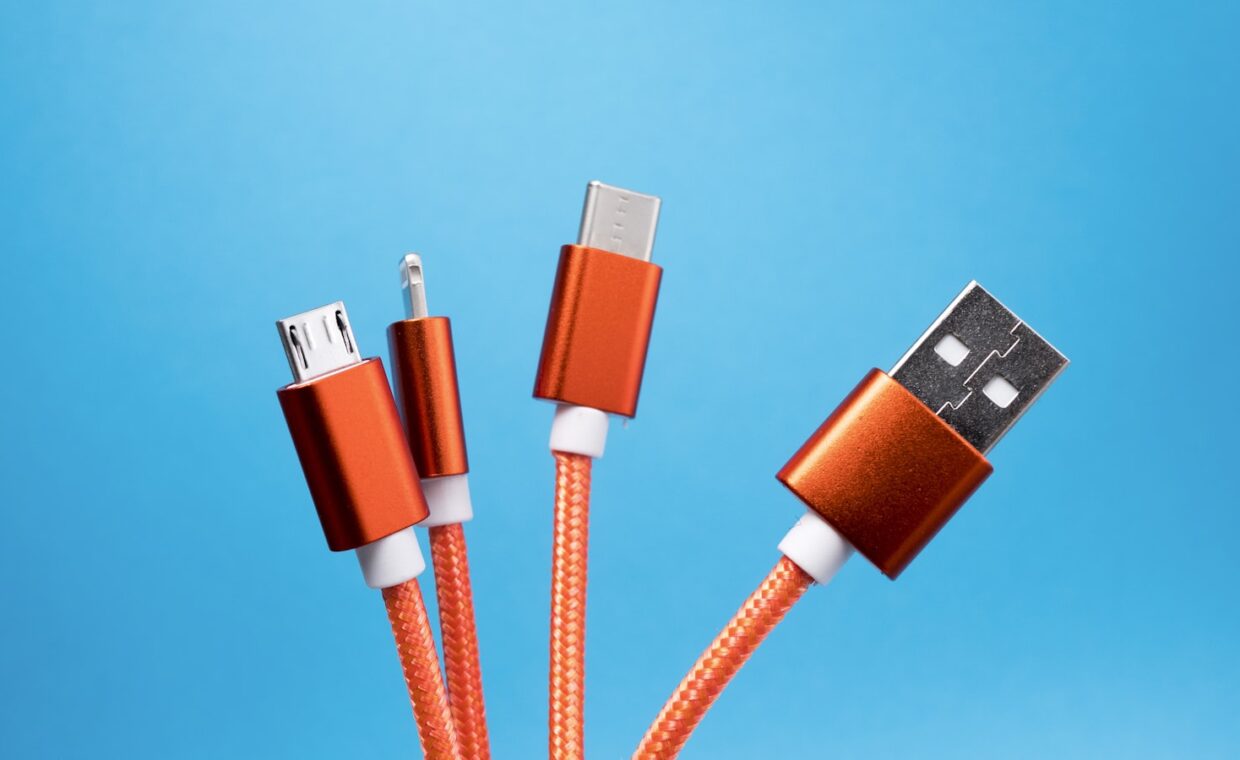
A USB-C cable is not a neutral pipe. Cables carrying more than 3A must contain an electronic marker chip that tells the charger what they can handle, and a cable without one will be limited to 3A regardless of what either end is capable of. That caps you at 60W on a 20V profile.
Cable length and conductor gauge also matter, because resistance causes voltage drop under load. A long, thin cable can produce a measurable shortfall at the laptop end. This is the most common reason a charger that works fine with one cable underperforms with another, and it is invisible because both cables have identical connectors.
Buy cables with a stated power rating. A cable sold only as a USB-C cable, with no rating on the packaging, is usually a 3A cable at best and is sometimes a charge-only cable with no data lines at all.
Barrel connectors and proprietary charging
Plenty of laptops still use a barrel connector, and many of those use a proprietary signalling method so the machine can identify a genuine adapter. On some models a third party adapter will charge but the machine will refuse to run at full performance, because it cannot confirm the available power. That is a deliberate design decision rather than a fault.
Barrel connectors also have a specific failure mode: the socket is soldered to a board and takes mechanical stress every time the cable is moved. A charging port that works only at a certain angle is usually a cracked solder joint, and that is a board level repair. Whether it is worth doing depends on the picked apart under the economics of a board level repair.
What to check when charging misbehaves
- Confirm the charger’s rating and the laptop’s requirement. Both are printed on the adapter and in the machine’s documentation.
- Try a different cable that is explicitly rated for the wattage you need. This resolves a surprising proportion of cases.
- Check which port you are using. On many laptops only some USB-C ports accept charging, and the capable ones are usually marked with a small icon.
- Watch what happens with the machine idle versus under load. If it charges when idle and stalls under load, the charger is undersized rather than faulty.
- Inspect the port for debris. Pocket lint compacted into a USB-C port prevents full insertion and is extremely common.
Port identification deserves particular attention, because identical looking connectors carry very different capabilities on the same machine. That problem extends well beyond charging, and it is covered fully charted out under what laptop ports actually support.
Charging habits worth adopting
Because charging under heavy load generates heat at the battery, and heat is the main driver of cell aging, the worst pattern is sustained heavy work on a marginal charger. If you regularly run demanding tasks plugged in, a charger with headroom above the machine’s rating is genuinely worth having. It reduces heat as well as time.
Machines that live permanently on a desk should use the charge limit setting if one is offered, which most manufacturers now provide. That single setting does more for long term battery health than any charging ritual. The wider question of how internal heat shortens component life is gone into properly under thermal limits and sustained performance.
Answers to common questions
Can I charge my laptop with a phone charger?
If both support USB Power Delivery, it will usually charge, but slowly, and possibly only when the laptop is idle or asleep. A 20W phone charger cannot supply what a laptop draws while working. It is a reasonable emergency measure and a poor everyday arrangement.
Does a lower wattage charger damage a laptop?
No. The negotiation means the laptop only requests a profile the charger has advertised, so nothing is overdrawn. The consequences are slow charging and possibly net discharge under load, not damage. The one genuine risk is a poor quality charger that does not implement the standard correctly, which is an argument for reputable brands rather than for higher wattage.
Why is my laptop charging slowly?
In order of likelihood: the charger is below what the machine wants, the cable is limited to 3A, the machine is under load and using most of the incoming power, or the port is obstructed. Check those four before suspecting the battery.
Are all USB-C chargers interchangeable?
For charging, largely yes, provided the wattage is adequate and the cable is rated correctly. The exception is laptops using proprietary signalling over USB-C, which is uncommon but does exist, and machines with a very high power requirement that need extended power range support at both ends.