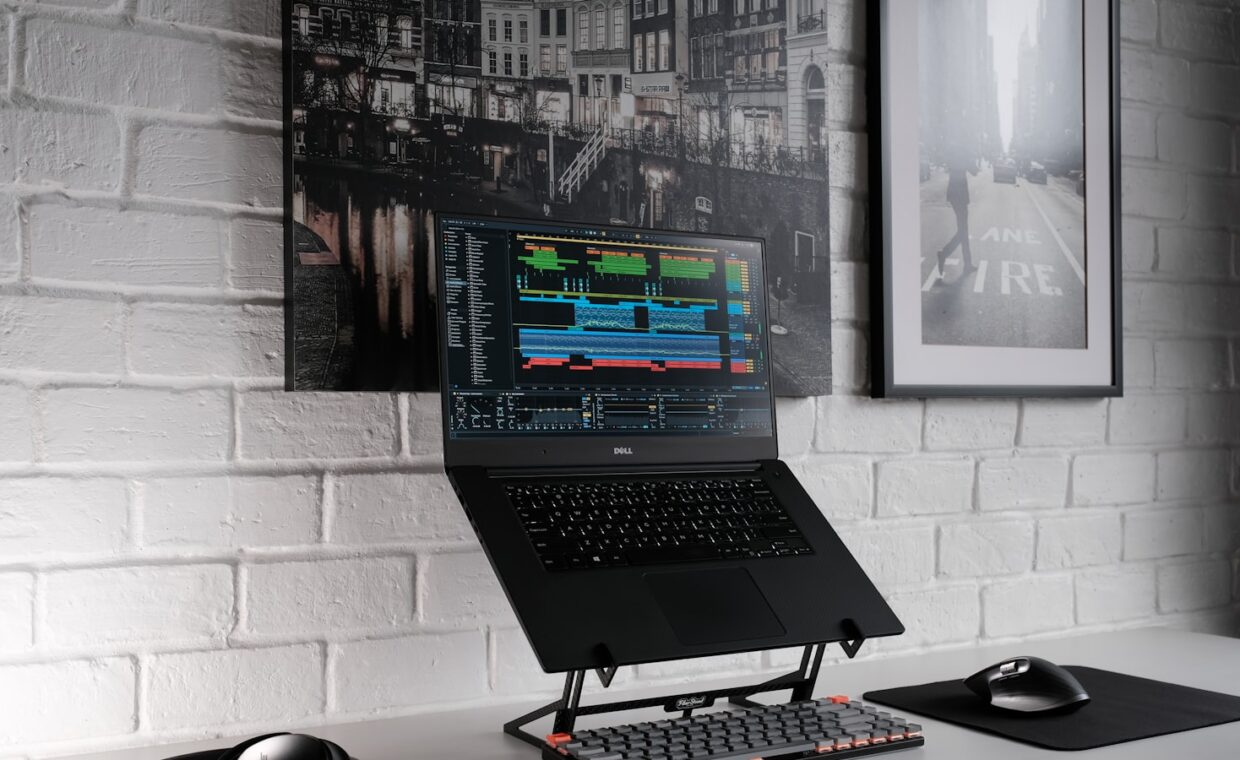
Cooling pads and laptop stands are among the most bought and least understood accessories. The marketing promises dramatically cooler, faster laptops; the reality is more modest and more situational. Whether either helps depends entirely on why your laptop is hot and where it draws its air, and the honest answer involves numbers smaller than the packaging suggests.
Where a laptop breathes
Almost every laptop draws cool air in through vents on its underside and exhausts hot air out of the back or sides. That single fact explains most of what cooling accessories can and cannot do. If the intake underneath is blocked or restricted, the cooling system is fighting for air, and anything that opens up that intake helps. If the intake is already clear, there is little for an accessory to improve.
This is why the surface matters so much. On a soft surface like a bed or a lap, the underside vents are partly sealed and the machine runs hot and loud, a situation our look at what fan noise indicates describes. On a hard desk the intake is already open, and there is far less for an accessory to add.
What a stand actually does
A plain stand lifts the laptop and angles it, which does two things. It guarantees clear airflow underneath, which genuinely helps if you were using the machine on soft surfaces. And it improves typing posture and screen height, which is a comfort benefit rather than a thermal one. On a machine already on a hard desk, a stand’s thermal benefit is small, often just a couple of degrees, because the intake was not restricted to begin with.
The comfort benefit, though, is real and worth having, especially for long sessions, and it pairs naturally with an external keyboard and monitor in the fixed setup described in our rundown on arranging a comfortable display setup. A stand bought for posture that also helps airflow a little is a reasonable purchase; a stand bought expecting a transformation in temperature is not.
What an active cooling pad adds
An active cooling pad adds fans that blow air at the underside of the laptop. Whether this helps depends on airflow direction. The pad’s fans should push cool air up toward the laptop’s intake vents, supplementing the air the laptop draws in. Positioned to align with the intake, a pad can lower temperatures by a measurable amount, though realistically that is in the range of a few degrees to perhaps ten on a machine that was struggling, not the dramatic drop implied by marketing.
| Situation | Stand | Active pad |
|---|---|---|
| Laptop on a bed or lap | Big help, restores airflow | Big help |
| Laptop on a hard desk | Small thermal gain, good posture | Modest gain, adds noise |
| Dusty internal cooling | No help, the problem is inside | No help, the problem is inside |
| Dried thermal paste | No help | No help, a repaste is the fix |
The noise tradeoff
An active pad adds its own fan noise on top of the laptop’s. For a modest temperature reduction you accept a constant hum, and on a machine that was already quiet this can be a poor trade. The pads are most justified on machines that run genuinely hot under sustained load, where a few degrees can be the difference between throttling and not, the mechanism explained in the article on how thermal limits cap performance. On a machine that is merely warm, the noise is rarely worth it.
When the real fix is inside
The most important thing to understand is that no external accessory addresses the two most common causes of a hot laptop: dust clogging the internal heatsink, and thermal paste that has dried out over years. Both are inside the machine, and both need the cleaning or repaste described in the guide on a realistic laptop maintenance schedule. A cooling pad blowing air at a machine whose internal cooling is choked with dust is treating a symptom while ignoring the cause.
The honest order of priority is: get the machine onto a hard surface, clean the internal cooling if it is more than a couple of years old, and only then consider an accessory for the remaining few degrees. Buying a cooling pad first, before addressing the airflow and the dust, is spending money on the smallest available improvement while leaving the largest ones untouched. The specifications that determine how much heat a machine makes in the first place, covered in the walkthrough on what a processor’s numbers actually mean, matter far more than any pad.
What to buy, if anything
If you have worked through the surface and the internal cleaning and still want a little more headroom, a simple approach beats an elaborate one. A plain, stable stand that lifts the back of the machine and guarantees clear underside airflow is inexpensive, silent, and doubles as a posture improvement. That is the accessory most people actually benefit from, and it is the one to buy first.
An active pad is worth it only for a specific profile: a machine that runs genuinely hot under sustained load, used mostly in one place where the added noise is tolerable, after the internal cooling has already been cleaned. For that user a pad can hold off throttling and keep a few percent of performance. For everyone else, the money is better kept, or spent on the internal maintenance that addresses the real cause. Matching the accessory to the actual problem, rather than to the marketing, is the whole of the advice here.
Common questions
Do cooling pads actually lower temperatures?
Yes, but modestly, usually a few degrees to perhaps ten on a machine that was struggling, not the dramatic drop marketing implies. They help most when the laptop was on a soft surface with restricted airflow, and least on a hard desk where the intake was already clear. They do nothing about dust or dried paste inside the machine.
Should the fan blow up or down?
On a cooling pad, the fans should blow up toward the laptop’s underside intake vents, supplementing the air the machine draws in. Blowing air away from the intake does nothing useful. Check where your laptop’s intake vents are, on the underside for most machines, and align the pad’s airflow to feed them.
Is a laptop stand better than a cooling pad?
For posture and for restoring airflow on soft surfaces, a plain stand is often enough and adds no noise. A cooling pad adds active fans for a few more degrees at the cost of a constant hum. On a hard desk, a stand plus clean internal cooling beats a pad; the pad only earns its place on machines that run genuinely hot under load.