A far bedroom or a garden office at the edge of the house is where home wifi usually gives up. The signal that fills the living room arrives there thin and unreliable, and the obvious fix, moving the router, just breaks coverage somewhere else. Three technologies exist to carry a solid connection across that gap: powerline through the mains wiring, MoCA through the television coaxial, and mesh through extra wireless points. Each reaches the far room by a different road, and each has a characteristic weakness. Knowing those weaknesses is how you avoid buying the wrong one twice.
Powerline over the mains
Powerline networking sends data through the mains wiring that already runs behind your walls. You plug one adapter into a socket near the router and link it with a short Ethernet lead; a second adapter in the far room gives you a wired port there, or a small wifi zone. Setup takes minutes and adds no new cabling, which is its main appeal for renters and anyone reluctant to drill.
The catch is that house wiring was never designed to carry data. Real throughput depends heavily on the age and layout of the circuits, and it falls sharply when the two adapters sit on different circuits or opposite phases of the supply. Chargers, motors and cheap power supplies inject electrical noise that drags speed down further. Adapters advertised at well over a gigabit often deliver a fraction of that in practice, and plugging one into a surge-protected strip can stop it working at all.
MoCA over the TV cable
MoCA, meaning Multimedia over Coax Alliance, sends network data along the same coaxial cable that carries cable television. If your rooms already have coax outlets fed from a common splitter, an adapter at each end converts between Ethernet and a signal that shares the cable without disturbing the TV service. The result behaves much like a buried network cable, with high throughput and steady timing.
Coax is shielded and built for high frequencies, so MoCA is the most stable of the three by a wide margin, routinely holding a gigabit or more with low latency. The requirement is simply that the coax exists and connects the two points, ideally on one continuous run. Fitting a small filter where the cable enters the house keeps the signal in and stops neighbours sharing your link, a quick job for most homes wired for cable or satellite.
Mesh over the air
Mesh replaces a single router with a set of coordinated units placed around the home. Each one broadcasts the same network, and a device roams between them without dropping its connection. When there is no cable to spare, the units relay traffic to each other wirelessly, which is what lets mesh cover a large or oddly shaped home with no wiring work at all.
That wireless relay is also the weakness. A node talking to both your device and the next node splits its airtime, so throughput can halve at every wireless hop, and walls or interference make it worse. Systems with a dedicated third band reserved for backhaul, or units you can join with a cable, sidestep much of this. How well the wireless side performs also tracks the wifi generation in the units, a point the overview of how the wifi standards stack up sets out.
How the three compare
Set side by side, the differences are less about headline speed and more about how consistent each one stays once it is installed.
| Factor | Powerline | MoCA | Mesh |
|---|---|---|---|
| Carries data over | Mains wiring | Coaxial cable | The air |
| Typical real speed | 50 to 200 Mbps | Around 1 Gbps | Varies with hops |
| Timing stability | Moderate | High | Variable |
| Needs | A spare socket | Existing coax | Only power |
| Main weakness | Wiring quality | Coax must exist | Airtime per hop |
Speed and reliability tradeoffs
The honest ranking for consistency puts MoCA first where coax exists, because a shielded cable barely cares about the noise and obstacles that trouble the other two. Powerline sits in the middle and is the least predictable, since two identical adapters can perform brilliantly in one house and poorly in another a street away. Mesh is the most flexible to place but pays for that freedom in shared airtime and sensitivity to walls.
Latency follows the same pattern. MoCA holds a tight, stable delay suited to calls and gaming; powerline is usually fine but can wander when appliances switch on; mesh over a wireless hop adds the most variation. Where you can run a proper cable to the far room, a wired link still beats all three, which brings up the question of cable grades the guide on Ethernet cable categories answers.
Matching a method to your home
Start with what your walls already contain. A house wired for cable television with outlets in the right rooms points straight to MoCA, the fastest and steadiest option for the least fuss. No coax, but a quick fix needed in a rented flat, suits powerline, ideally bought somewhere you can return it if the wiring proves noisy. A large home with many devices and a desire for one roaming network favours mesh, best of all with a wired or coax backhaul feeding the nodes.
Some cases fall outside all three. A detached studio or garden room that no house wiring reaches may be better served by its own connection, a trade the comparison of mobile data against fixed broadband weighs. And if two rooms happen to sit close together, a single well-placed cable remains simpler and faster than any of these workarounds.
Making the call
The decision rarely comes down to the biggest number on the box. It comes down to what your home is already wired for and how much variation you can tolerate. Coax present and reliability wanted, choose MoCA. Nothing spare and you want speed with simplicity, try powerline and test it early. Wide coverage and roaming matter more than raw throughput, build a mesh and give it the best backhaul you can.
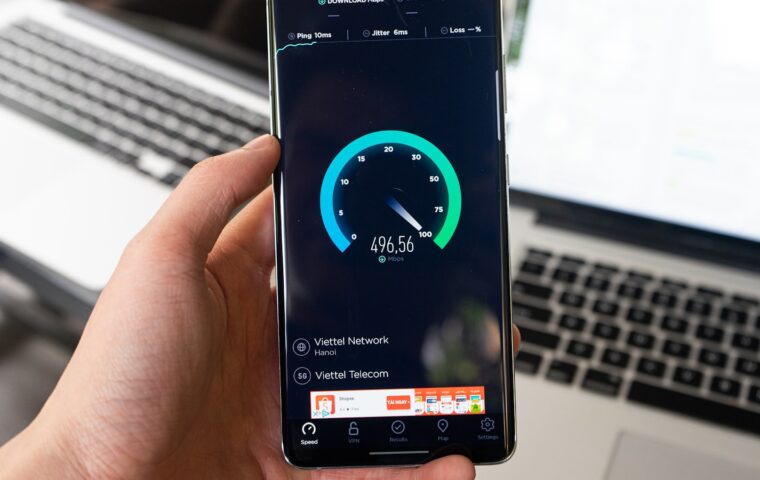
Whichever you pick, measure the far room before and after so you know what you actually gained. It also helps to rule out other causes of a sluggish feel, since a slow name lookup can imitate a slow link, as the explainer on how DNS resolution works shows. Treat the backhaul as one link in a longer chain, and the far room stops being a guessing game.
Frequently asked questions
Is powerline or mesh better?
Neither wins outright; they solve different problems. Powerline gives a single far room a near-wired port cheaply, as long as the electrical circuits cooperate. Mesh blankets a whole area in roaming wifi but shares airtime across its wireless hops. For one distant desk, powerline is often simpler and steadier. For coverage across many rooms and moving devices, mesh fits better, especially if you can wire its nodes together.
What is MoCA networking?
MoCA sends Ethernet data over the coaxial cable already installed for cable or satellite television, without interrupting the TV signal. An adapter at each coax outlet converts between the network and the cable, producing a fast, low-latency link that rivals a dedicated network cable. It needs existing coax connecting the two points and a filter at the entry point, but where those exist it is the most reliable of the three approaches.
How do I get internet to a far room?
Check what the room already has. A coax outlet fed from your TV wiring, use MoCA. A power socket and no coax, try a powerline adapter. Neither works well, add a mesh node, wired to the others if possible. A short run to a nearby room, pull a single Ethernet cable, which beats every wireless or wiring trick. Measure the speed in the room afterwards to confirm the fix held.