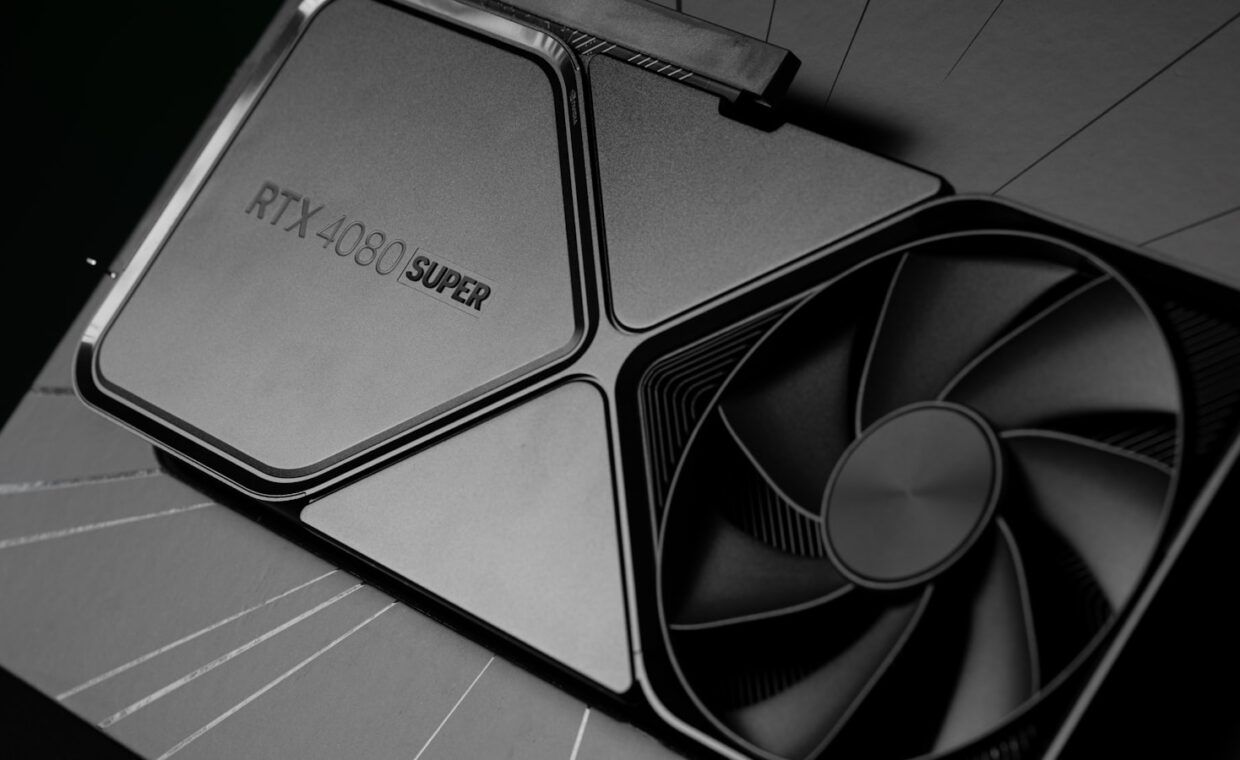
Two graphics cards on a shop listing can carry the same GPU name yet differ in price by a wide margin, one sold as a reference or Founders Edition model and the other as a custom board from a partner brand. The chip inside is identical, so the gap lives in the cooler, the circuit board, the clock speeds and the physical dimensions. Knowing what those differences actually buy you, and what they do not, helps you spend on the version that suits your case, your tolerance for fan noise and your budget rather than the most expensive box on the shelf.
Who designs each version
A reference card is the design the chip maker, Nvidia or AMD, ships as the baseline. Nvidia sells its own polished take under the Founders Edition name, while AMD offers reference cards at launch. These set the expected clock speeds, the cooler layout and the board length that every partner starts from, and reviewers treat them as the yardstick the rest are measured against.
Custom cards, sometimes called AIB or add-in-board models, come from partner companies such as Asus, MSI, Gigabyte, Sapphire and PowerColor. They take the same GPU and memory, then redesign the cooler, often the power delivery, and the styling. Two custom cards from different brands can look nothing alike yet run the exact same silicon, which is why comparing the coolers and the warranty terms tells you more than the badge on the shroud.
Cooling, noise and factory clocks
The clearest difference is thermal design. Reference coolers are competent but conservative, frequently using a single blower or a compact twin-fan setup that has to fit a strict size. Custom cards usually mount larger heatsinks, two or three bigger fans and more heat pipes, so they hold the same chip at a lower temperature, or the same temperature at a lower fan speed. The two styles also move air differently. A blower pushes heat straight out the back of the case, which helps in cramped or poorly ventilated builds, while the open-air fans on most custom cards spill warm air back inside, where good case airflow then has to carry it away.
That extra cooling headroom lets partners ship a factory overclock, a small bump in boost clock above the reference figure. The gain is real but modest, often a few percent, because a modern GPU already pushes its boost as high as temperature and power allow. Quieter running is often the bigger prize, since a cooler chip does not need its fans spinning as fast. If you care about efficiency rather than peak numbers, the way efficiency is measured across a workload tells you more than a headline clock figure.
Reference and custom at a glance
| Factor | Reference / Founders Edition | Custom partner card |
|---|---|---|
| Cooler size | Compact, fits a set length | Often larger, two or three fans |
| Factory clock | Baseline boost | Sometimes raised a few percent |
| Noise under load | Moderate | Usually lower on bigger models |
| Price | Set at launch | From similar to much higher |
| Size in case | Predictable | Can be long, tall or thick |
Size, power connectors and case fit
A bigger cooler has to go somewhere. Many custom cards run longer, taller and thicker than the reference design, spilling into three expansion slots instead of two. Before buying, check your case clearance for card length and the slot count, because a card that will not let the side panel close is a costly return and an afternoon wasted. Weight is the other easily missed factor. A heavy triple-fan card can sag in its slot over months, so many now ship with a support bracket, and a few cases add an anti-sag bar for exactly this reason.
Power connectors also vary. A reference card might use a single connector while a heavily overclocked custom model adds a second, or uses the newer 12-pin standard, so confirm your power supply carries the right cables. Higher factory clocks pull more watts, which feeds back into heat and fan noise. The GPU still handles the same tasks regardless of the board it sits on, including the fixed silicon that drives video encode and decode work, so a pricier cooler does not add features the chip itself lacks.
What the premium does and does not buy
Paying more for a custom card is worth it when you want quiet operation, plan to push a manual overclock that benefits from stronger cooling, or run the card hard for long sessions where lower temperatures extend fan and component life. A better cooler genuinely helps in those cases, and a longer warranty can matter on a costly part.
It is poor value when you buy the most expensive model purely for a factory overclock. The few percent it adds rarely changes whether a game feels smooth, and you can often apply a similar overclock yourself at no cost. Features tied to the chip, such as the dedicated cores that accelerate ray tracing, are present on every version, cheap or dear. Judge the premium on cooling, noise, size and support, not on a small clock bump.
Making the choice
Start from the chip you want, then treat the board as a cooling and fit decision rather than a performance one. Cards with the same GPU land within a narrow performance band, so the sensible plan is to pick the cheapest model that runs quietly enough and physically fits your case, then spend the saving elsewhere in the build. A mid-range custom card usually hits that balance better than either the barest reference option or the top flagship.
If two candidates are close on price and size, let noise ratings, warranty length and support reputation break the tie. Raw throughput figures blur together between siblings, and understanding what compute numbers can and cannot promise keeps you from overpaying for a specification that never shows up in real use. The best buy is the version whose trade-offs match your case and your ears, not the one with the largest cooler on the page.
Frequently asked questions
Is a custom graphics card faster than the reference one?
Usually only slightly. A custom card with a factory overclock runs its boost clock a few percent higher, which can add a small frame-rate gain. The chip and memory are the same, so the difference is minor and often within the margin you could reach by overclocking a reference card yourself. Cooling and noise separate the two far more than raw speed does.
Do custom cards run cooler and quieter?
Larger custom models generally do, because they carry bigger heatsinks and more fan area than the compact reference cooler. That lets them hold the same temperature at a lower fan speed, which you hear as quieter operation. Small or budget custom cards may match or even trail the reference design, so read temperature and noise tests for the specific model rather than assuming every partner card is better.
Are Founders Edition cards worth buying?
They can be, especially when priced at or near the baseline. Founders Edition cards are well made and compact, which suits smaller cases where an oversized custom card will not fit. They may run a little warmer or louder than a large partner card under sustained load. If the price is fair and the size suits your build, a Founders Edition is a sound, no-fuss choice.