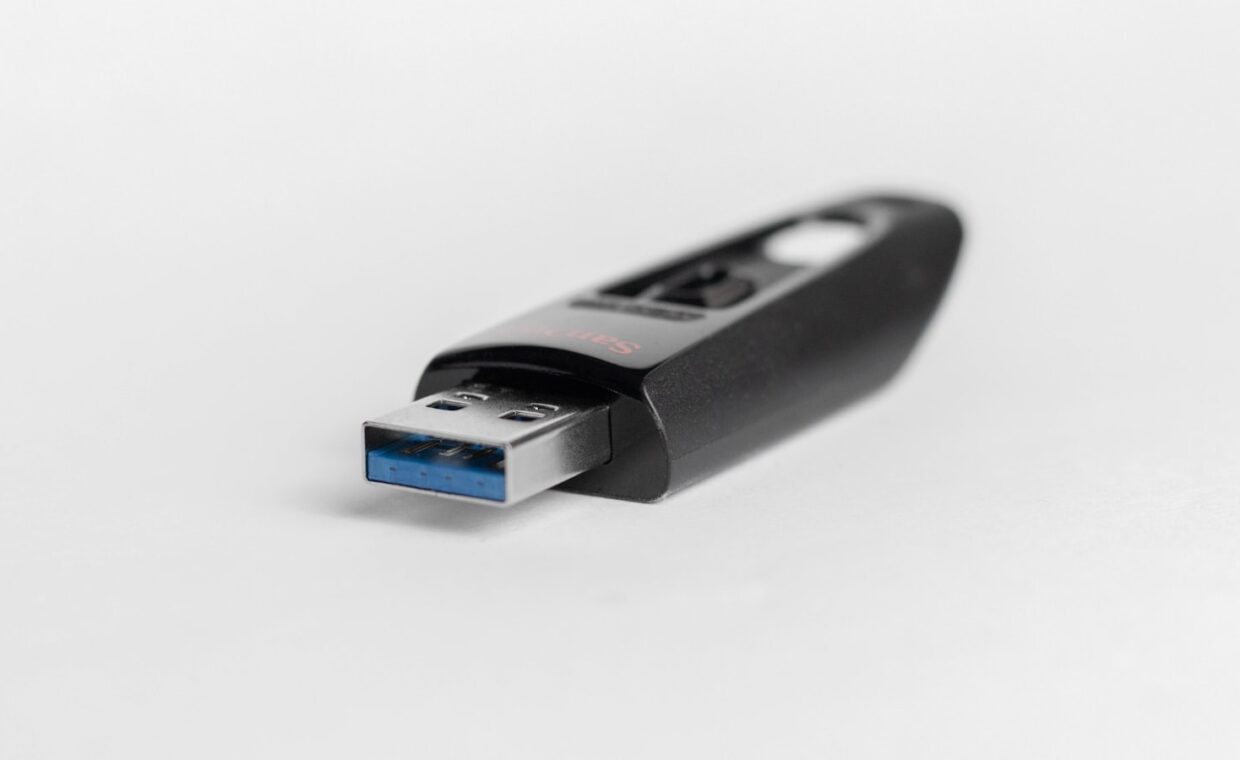
A USB flash drive lives on a keyring or in the bottom of a bag, ready to carry a presentation between machines or hand a folder of files to a colleague. That convenience shapes how people think of them, as small dependable containers for whatever you copy across. The truth is more mixed. A flash drive suits some jobs well and is a poor choice for others, and the gap comes down to how it is built and how hard you push it. What follows explains what really governs their reliability, so you can judge when trusting one is reasonable and when it is a gamble.
What sits inside the plastic shell
Two components decide how a flash drive behaves. The first is the NAND flash memory, the chips that actually hold your data. The second is the controller, a small processor that chooses where each file is written, spreads writes so no area is exhausted early, and corrects the minor errors flash naturally produces. A well made drive pairs decent memory with a capable controller. A cheap one economises on both, often fitting chips that failed a maker’s quality checks and were sold on as seconds.
Quality like this is invisible from the outside. Two drives can share the same stated capacity, connector, and case, yet differ enormously in how long they last and how faithfully they return what you stored. Brand alone is no guarantee, since counterfeit packaging is widespread, though a suspiciously cheap sealed drive from an unknown seller is a fair warning sign.
Why the cheapest drives fail first
Budget drives fail for reasons that trace straight back to those two parts. Weak controllers lack proper error correction and even wear management, so some cells are written again and again while others sit idle, and the busy ones degrade long before they should. Poor memory holds its charge less firmly, so files written months ago can return with flipped bits. Flimsy soldering and loose connectors add mechanical failure too, since a drive that loses contact partway through a write can scramble its own record of where everything sits.
Heat makes all of this worse, since a drive left in a warm laptop runs hotter than its cheap parts were meant to tolerate. None of these faults show up in a quick test on day one, which is why an unreliable drive so often seems perfect right until the moment it is not.
Drives that claim a size they do not have
One particular scam deserves its own warning. Counterfeit capacity drives are programmed to report a large size, say 512 gigabytes, while the memory inside holds only a fraction of that. Everything looks normal until you fill past the true limit. New files appear to copy across, but they silently overwrite earlier ones or vanish, and you notice only when you later try to open something and find it unreadable.
Verifying a new drive before you rely on it is the only real defence. Writing test data across the whole claimed capacity and reading it back exposes a fake quickly, and confirming that real transfer rates match what the drive promises catches other exaggerations, the sort of measurement our piece on checking a drive’s true speed walks through.
Several beliefs make poor drives easier to sell, so it helps to set the common assumptions against what holds:
| Common belief | What actually holds |
|---|---|
| A bigger capacity means a better made drive | Size and durability are unrelated; a large cheap drive can be the least dependable of all |
| If it copies files, it must be healthy | Faults often stay hidden until data ages or the drive nears full |
| Flash has no moving parts, so it cannot wear out | Every cell tolerates only a limited number of writes before it weakens |
| The brand on the case guarantees the contents | Counterfeits copy branding closely; the memory inside varies wildly |
Writes wear the memory down
Flash memory stores data by trapping a small electrical charge inside each cell, and erasing and rewriting a cell slowly damages the insulating layer that holds that charge. Every cell has a finite endurance, counted in program and erase cycles, past which it can no longer be trusted. Ordinary file copying rarely approaches that limit within a drive’s useful life.
Using a flash drive as a live working disk changes the picture sharply. Running an operating system from it, editing a database on it, or writing continuous logs reaches that limit far sooner, because the same small pool of cells is rewritten constantly. The same physics governs the solid state disk inside a laptop, and the explainer on how flash storage ages with use covers the mechanism in fuller depth.
Where a flash drive still makes sense
None of this makes flash drives useless. For moving files between computers, carrying a document to a print shop, handing over holiday photos, or keeping a bootable installer ready, they are ideal, cheap, and genuinely pocketable. The trick is to treat one as a transfer tool rather than a home for anything you cannot afford to lose. A stick holding the only copy of your accounts or family pictures is a single point of failure, with no redundancy and no warning before it goes.
For data that has to persist, a copy that exists in more than one place is what actually protects you, whether that second home is another drive, a networked store like the one the plain guide on running a small home NAS describes, or an offsite service. A flash drive can be one leg of that arrangement, never the whole of it.
Judging a drive before you rely on it
Reliability, then, is less about the label and more about matching the tool to the task. A flash drive is a convenience device with real limits, built down to a price, and honest about neither its quality nor sometimes its true size until you test it. Buying from a seller with a reputation to protect, verifying capacity and speed on arrival, and keeping heavy writes to other media leaves you with a unit that serves for years of light duty.
The safer habit is to assume any single drive can fail at any moment, then arrange your data so that failure is a shrug rather than a disaster. Spreading copies across separate devices is the discipline our guide to what a real backup defends against sets out, and it turns even a flaky flash drive from a risk into a harmless spare.
Frequently asked questions
Are USB flash drives reliable?
They are reliable enough for short term transfer and casual storage, but not dependable enough to hold the only copy of anything important. Quality varies enormously between models, and a drive can fail with no warning at all. Treat a flash drive as a convenient courier for files that also exist elsewhere, and in that role it will rarely let you down.
Why did my flash drive fail?
Common causes are a weak controller with poor error correction, low grade memory that leaks its stored charge, or physical stress on the connector from being knocked while plugged in. Pulling a drive out partway through a write can corrupt its file index and make everything unreadable even when the memory itself is fine. Heavy repeated writing also wears cells out faster than occasional copying.
Can I trust important files to a USB stick?
Only if the same files also live somewhere else at the same time. A single USB stick works well as one copy among several, but as the sole home for irreplaceable documents or photos it is a gamble, because nothing is left to fall back on when it fails. Keep at least two independent copies of anything you would be genuinely upset to lose.