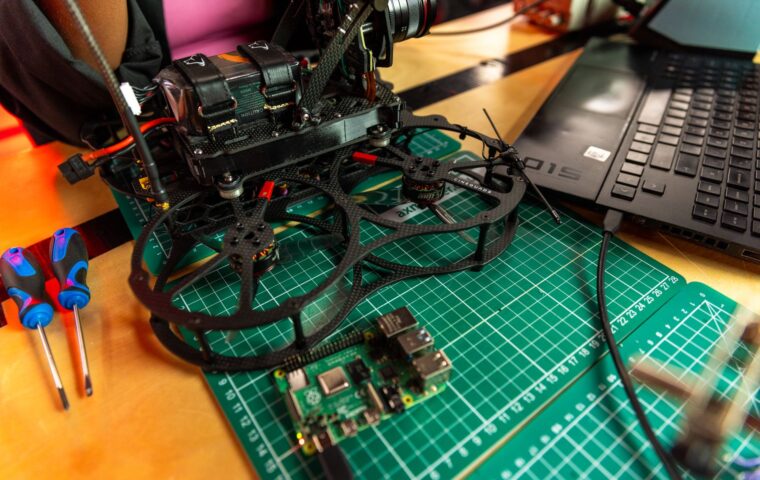
A weather logger, a home automation hub, or a small file server earns its keep by running for weeks with nobody watching it. That is also when trouble hides. A crash in the small hours, a disk that quietly fills, or an update that changes something important can leave a board dark until you happen to notice days later. This guide walks through the failures that tend to strike hardware left on its own, and the specific guard for each one, ending in a short checklist to run before you walk away.
Keep the service alive
The first thing that fails is rarely the hardware. It is the program you wrote. A Python script that reads a sensor can throw an exception on a bad value and exit, and nothing brings it back. The fix is to hand the job to an init system rather than launching it by hand. On most Linux boards that means systemd: write a small unit file, set Restart=on-failure with a short RestartSec delay, and the supervisor relaunches the process whenever it dies.
Auto-restart is not permission to ignore the cause. If a script crashes every ten seconds, systemd will loop forever and you learn nothing. Set StartLimitIntervalSec and StartLimitBurst so repeated failures eventually stop and get logged, which turns a silent crash loop into a visible fault. These boards take on a wide spread of jobs, the sort the overview of what people build with them on popular Raspberry Pi uses lays out, and each benefits from the same supervision.
When the board locks up entirely
Service supervision assumes the operating system is still responsive. Sometimes it is not. A kernel panic, a driver deadlock, or a power sag can freeze the board so hard that no software can recover it. For that you need a watchdog timer, hardware that resets the board unless something keeps petting it on a schedule.
Most Raspberry Pi models carry a watchdog in the main chip. You turn it on in the bootloader config, then run a daemon that writes to the device every few seconds while the system stays healthy. If those writes stop, the chip forces a reboot after a fixed timeout, often around fifteen seconds. Undervoltage is a common trigger for these lockups, so a marginal supply or an overloaded port deserves scrutiny, the kind of ceiling the explanation of how much current a board can spare on USB power limits sets out.
Logs and the slow disk fill
A board can run for a month and then stop for a dull reason: the disk is full. Talkative services write to the journal and to files in the log directory, and on a 16 GB card that space vanishes faster than people expect. When the root filesystem hits zero free bytes, databases refuse writes and the program you are trying to keep alive cannot open a file.
Log rotation is the guard. The logrotate tool compresses and deletes old logs on a schedule, keeping only a bounded history. For the systemd journal, set SystemMaxUse in the journald config to cap it at, say, 200 MB. If your project writes its own log file, rotate that too, or send it to the journal so one policy covers everything. The aim is a system where no file grows without limit.
Updates that run unattended
Automatic updates are a double-edged tool. They close security holes without you lifting a finger, which matters for anything reachable from the network. They can also reboot the board at an awkward moment, pull in a kernel that breaks a driver your project depends on, or restart a service and lose its in-memory state.
A measured approach helps. Enable unattended security updates only, hold back full distribution upgrades for a time when you can watch, and pin the kernel if a specific version is known to work with your hardware. For the simplest always-on tasks, a microcontroller with no operating system to patch sidesteps this class of problem entirely, one of the trade-offs the guide on picking between microcontrollers and Linux boards weighs.
Getting back in after a failure
When something does go wrong, you need a path to the board that does not involve carrying a monitor to it. Plan at least two. A wired SSH connection over Ethernet is the most dependable, since Wi-Fi drivers themselves sometimes wedge. A serial console on the GPIO header works even when the network stack is down, which makes it the recovery route of last resort.
For a project you cannot walk to, a remote path has to cross the internet without exposing the board to the whole world. A reverse tunnel or a private network keeps the door shut to strangers while leaving it open to you, the balance the walkthrough on reaching home projects from outside safely sets out. Whatever you choose, test it from off the local network first, because a recovery path you have never used is a guess, not a plan.
A checklist before you walk away
Run through these before leaving any board to fend for itself. Each item maps to one of the failures above.
- Wrap every long-running program in a systemd unit with Restart=on-failure and a sane restart limit.
- Enable the hardware watchdog in the bootloader and run a watchdog daemon to pet it.
- Cap the journal size and configure logrotate so no log can fill the card.
- Limit automatic updates to security patches, and hold kernel changes for a supervised window.
- Confirm two ways back in, one of them independent of Wi-Fi, and test both from elsewhere.
- Note the board’s normal power draw so a later undervoltage warning stands out.
- Write down where the project runs and how to restart it, for the day you have forgotten.
Where this leaves you
Reliability for an unattended board is less about any single clever trick and more about removing the quiet single points of failure one by one. Supervision restarts a dead process, a watchdog reboots a frozen kernel, rotation keeps the disk from filling, cautious updates avoid self-inflicted outages, and a tested recovery path means a problem costs minutes rather than a wasted trip. None of these is difficult on its own.
The habit worth building is to assume each layer will eventually fail and to ask what catches it when it does. A board that survives a power blip, a runaway log, and a bad night without your help is one you can genuinely forget about. Set the guards once, verify them, and the three in the morning failures stop being emergencies.
Frequently asked questions
How do I make a service restart automatically?
On a Linux board, create a systemd unit file for your program and add Restart=on-failure in the Service section, with a RestartSec pause before each retry. Enable the unit so it starts at boot. Systemd then relaunches the process whenever it exits with an error. Add StartLimitBurst so an endless crash loop is capped and recorded rather than hidden from you.
What is a hardware watchdog?
A hardware watchdog is a timer built into the board’s chip that reboots the system unless software regularly writes to it. While the operating system is healthy, a daemon pets the watchdog every few seconds. If the board freezes and those writes stop, the timer expires and forces a reset, recovering from lockups that no software could fix on its own.
Should I enable automatic updates on a server?
For anything exposed to a network, enable automatic security updates so known holes get patched promptly. Be more cautious with full system upgrades and kernel changes, which can break drivers or reboot at a bad time. Restrict automation to security patches, schedule larger upgrades for when you can watch, and test the update path on a spare card first.