A single router in a two-story house almost always leaves a cold corner, the back bedroom where video buffers and calls drop. The two common fixes look similar on a shelf and cost about the same, yet they behave very differently once installed. One repeats the existing signal, the other creates a fresh one from a wired link. Choosing wrong means paying for coverage you never really get. Here you will see how each method works, why one halves your speed, and how to match the fix to the shape of your home.
How an extender repeats a signal
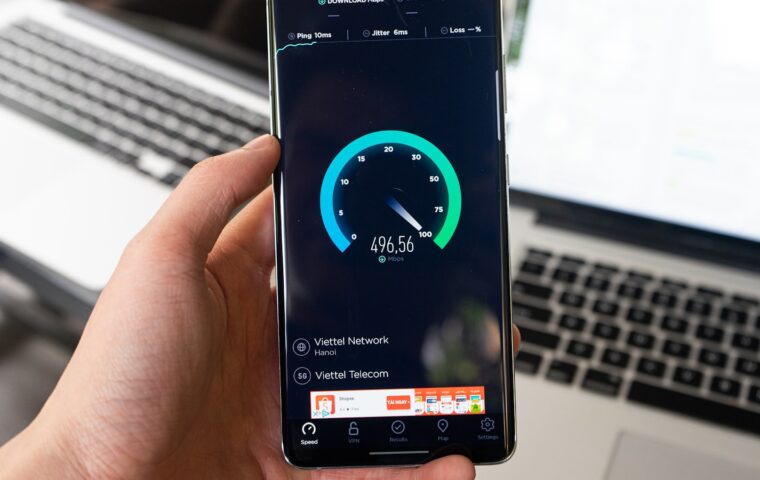
A range extender, sometimes sold as a repeater or booster, listens to your router’s Wi-Fi and rebroadcasts it further into the house. You place it roughly halfway between the router and the dead zone, where it still hears the router clearly. Devices in the far room then talk to the extender instead of straining to reach the router directly, which raises their signal bars. Those bars are encouraging, but they measure signal strength, not the speed actually passing through, and the two figures often disagree.
The catch is that the extender depends entirely on the wireless link back to the router. If that midpoint link is weak, the extender rebroadcasts a weak connection, so it cannot deliver more than it receives. Placement is therefore everything. On dual-band models, keeping the two radios and channels sensible also matters, a topic the guide on the Wi-Fi generations and bands sets out.
The half-bandwidth penalty
A basic single-radio extender has to receive a packet and then resend it on the same radio and channel. Because a radio cannot listen and talk at the same instant on one channel, every packet is effectively handled twice, which cuts the usable throughput for connected devices roughly in half. A device showing full bars through such an extender can still measure half the speed it would get beside the router.
Dual-band and tri-band extenders soften this by using one band to talk to the router and another to talk to your devices, so the two conversations do not collide. They cost more and still trail a wired solution, but they avoid the crude halving. The penalty hurts uploads as much as downloads, which matters for video calls, as the explainer on why upstream speed counts describes.
The options side by side
The comparison below sets the three approaches against the factors that decide real coverage.
| Factor | Extender | Wired access point | Mesh |
|---|---|---|---|
| Backhaul | Wireless, shared | Dedicated cable | Wireless or wired |
| Speed at range | Often halved | Near full | Good, better if wired |
| Roaming between spots | Separate network name | Same name possible | Single smooth network |
| Setup effort | Low | Needs cabling | Low to moderate |
| Cost | Lowest | Low per unit | Highest |
Access points on a wire
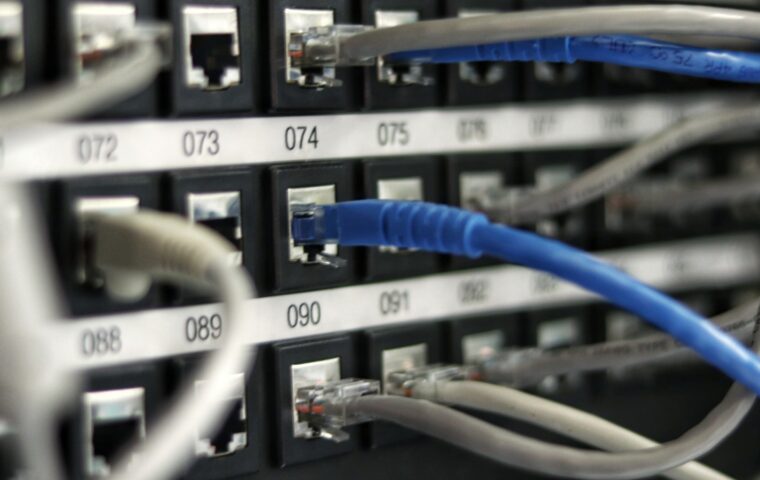
An access point creates Wi-Fi from a wired connection rather than from another radio link. You run an Ethernet cable from the router to the far part of the house and attach the access point there, so it broadcasts a full-strength signal fed by a cable that never has to share airtime. The result is close to having a second router’s coverage without the speed penalty of a repeater. Many models draw power over the same Ethernet cable, so no separate socket is needed at the far end where you mount them.
Set to the same network name and password as the router, several access points let devices move through the house and reconnect to whichever is strongest. Each device is recognized by its hardware address as it hands off, a detail the primer on what those hardware identifiers do explains. The one real cost is running the cable, which is why access points suit homes that can hide a wire along a hallway or through a wall.
Mesh as a third route
A mesh system is a set of matched units that blanket the house with one continuous network. They coordinate automatically, so a device moving from kitchen to bedroom stays on the same network name and switches nodes without dropping. Better systems reserve a dedicated radio for the link between units, which avoids the halving that plagues a simple extender.
Mesh trades money for convenience, since you buy several matched units and often an app-driven setup. Whether a mesh set genuinely beats a single strong router in a smaller home is a fair question, one the comparison of mesh against one capable router weighs up. In a large or awkward floor plan, though, mesh is often the least fiddly way to cover everything.
Matching the fix to your layout
Small homes with one stubborn dead spot rarely need more than a well-placed dual-band extender, or simply moving the router. A house where you can run a cable to the far side should favor a wired access point, which gives the best speed for the least ongoing compromise. Sprawling or multi-floor layouts, especially with thick walls, reward a mesh system that handles roaming for you.
Think in terms of where the wire can reach, not just where the dead zone is. If a cable can get within a room of the problem, an access point almost always wins. If it cannot, the choice narrows to a good dual-band extender for a single gap or a mesh set for several. Budget matters too, since an extender costs the least and a full mesh set the most to cover the same square footage.
Where this leaves you
The core difference is the backhaul, the link carrying traffic to the router. An extender shares the air for that link and often halves your speed, a wired access point gives it a private lane, and mesh sits between the two depending on whether its units talk over a reserved radio or a cable. Coverage bars alone hide this, which is why two setups showing full signal can perform so differently.
Decide by asking whether you can run a cable and how much roaming you need. A wire plus an access point is the strongest value where it is practical, mesh buys ease across a big footprint, and an extender remains the quick, cheap patch for a single weak room. Measure the far-room speed after installing, since bars promise coverage that throughput has to confirm.
Frequently asked questions
Do Wi-Fi extenders slow the connection?
A basic single-radio extender usually does, cutting throughput for connected devices by around half, because it receives and resends each packet on the same channel. Dual-band models reduce this by using separate bands for the two links. You gain coverage in the dead zone either way, but the far-room speed through a cheap extender can be noticeably lower than beside the router.
Access point or extender, which is better?
A wired access point is better wherever you can run a cable to it. It broadcasts a full-strength signal fed by Ethernet, so it avoids the speed penalty an extender pays for repeating over the air. An extender wins only on convenience and price, needing no cabling. For lasting performance in a fixed spot, the access point is the sounder investment.
How do I cover a large house with Wi-Fi?
For a large or multi-floor home, either wire several access points back to the router or install a mesh system built for roaming. Both keep one network name so devices switch automatically as you move. Extenders struggle at this scale because each adds its own compromise. If cabling is possible, wired access points give the best speed; if not, a good mesh set is simplest.