Ask why a connection feels slow and most answers point at bandwidth, the megabits a plan advertises. Yet a line rated at hundreds of megabits can still feel sluggish in a game, a call, or a remote desktop session, because responsiveness is governed by latency, the time data takes to make a round trip, and latency has almost nothing to do with capacity. What people loosely call lag is really four separate delays stacked on top of each other, and only one of them is set by distance. Separating the four makes it clear which you can change and where your effort is worth spending.
Latency as a sum of parts
A single packet crossing a network is delayed at every step, and the total you measure is the sum of four distinct kinds of delay. Propagation delay is the time the signal spends physically travelling, limited by the speed of light in the cable or fibre. Transmission delay is the time taken to clock the packet’s bits onto the wire, which depends on the link’s speed and the packet’s size. Processing delay is the moment each router spends examining a packet and deciding where to send it next. Queuing delay is the time a packet waits in line behind others when a link is busy. Add all four at every hop and you have the figure a ping reports.
Typical values for each delay
The four are not equal in size, and their usual ranges explain why some are worth chasing and others are a waste of attention.
| Delay type | What sets it | Typical range |
|---|---|---|
| Propagation | Physical distance and medium | About 5 ms per 1000 km, so tens of ms across a continent |
| Transmission | Link speed and packet size | Well under 1 ms on modern links |
| Processing | Router hardware and load | Tens of microseconds to about a millisecond per hop |
| Queuing | Congestion on the link | Near zero when idle, tens to hundreds of ms when busy |
The pattern is telling. Propagation is fixed by geography and cannot be beaten. Transmission and processing are already tiny on decent equipment. Queuing is the one that swings wildly, from nothing to the largest contributor of all, which is why it is where most real-world latency trouble actually lives.
Why a ping figure is incomplete
A ping gives you one number, the round trip time to a single destination at one moment, and treats it as the whole story. It is useful but partial. It says nothing about jitter, the variation between successive packets, which matters more than the average for calls and games. It ignores packet loss unless you deliberately watch for missing replies. It measures only the path to the specific server you pinged, so a good result to a nearby test site can hide a poor route to the game or service you actually use. A single low number can sit happily alongside a connection that stutters under real traffic. The local link adds its own share too, since the wireless standard between your device and the router carries a variable delay that the roundup of the wireless standards on offer examines.
How congestion changes the number
Latency is not a fixed property of a connection; it rises and falls with load, and queuing delay is the reason. When a link is quiet, packets sail through and the four delays add up to their floor. When the same link fills, with a large upload, several streaming devices, or a busy household, packets start waiting in buffers and queuing delay balloons. This is why a connection can ping at 15 ms in the morning and 200 ms in the evening on the identical hardware. Sharing the line unevenly makes it worse, so keeping heavy or untrusted devices on a separate segment helps, and putting visitors’ gear on its own network, the approach the guide on keeping guest devices apart lays out, is one way to stop them flooding the queue you depend on.
The parts you can actually reduce
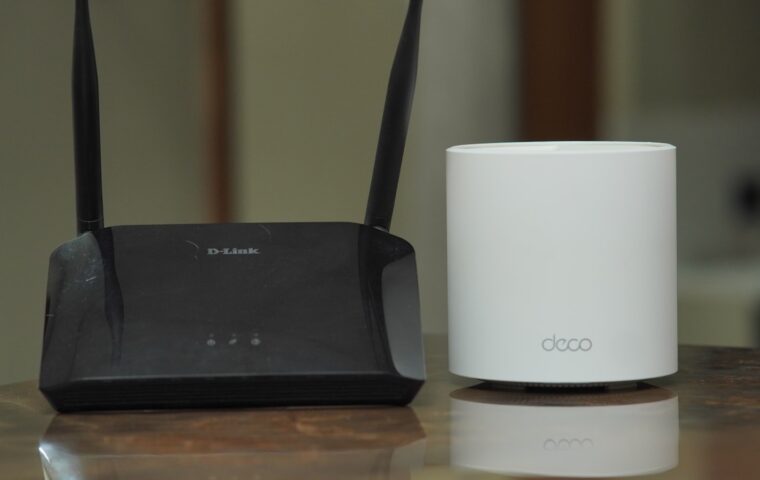
Since propagation is fixed and transmission and processing are already small, useful effort concentrates on queuing and on the local hops you control. Choosing a server that is geographically closer cuts propagation for that session. Modern queue management on the router, sometimes labelled smart queue or an anti-bloat option, holds queuing delay down when the line is under load, and it is often the single most effective change you can make. For the one device that matters most, a wired connection removes wireless variability entirely. Stretching coverage with the wrong hardware can quietly double the wireless hop and add delay, so the difference between the two methods, set out in the guide on extenders and dedicated access points, is worth understanding before you add either.
Where a VPN changes the maths
A VPN adds a deliberate detour. Your traffic first travels to the VPN server, then on to its real destination, so the round trip now includes the distance to that server twice over. If the endpoint sits in another country, the added propagation alone can dwarf every other delay, which is why a tunnel that is fine for browsing can make a game feel unplayable. The encryption itself adds only a little processing delay on modern hardware; the distance is what hurts. Choosing an endpoint close to you, and turning the tunnel off for latency-sensitive tasks, keeps the penalty small, the balance the overview of how a VPN reshapes your route sets out.
What this means in practice
Latency resists the instinct to buy your way out of it. A faster plan raises capacity, the number of bits per second, but leaves the round trip time almost untouched, because three of the four delays do not depend on bandwidth and the fourth, queuing, is about management rather than raw speed. That is why upgrading from a fast plan to a faster one so often changes nothing about how responsive a game or a call feels.
The productive questions are narrower. Which delay dominates in your case, and is it one you can influence? If the distance to a far server is the issue, only a closer server helps. If the number balloons when the house gets busy, queuing is the culprit and queue management is the answer. Once latency is seen as four separate quantities rather than one vague feeling of slowness, the right fix, or the honest conclusion that none exists, becomes much easier to find.
Frequently asked questions
What is a good ping?
For most uses a round trip under about 30 ms feels excellent, and under 50 ms is comfortable for gaming and calls. Between 50 and 100 ms is usable but noticeable in fast games, and above 150 ms starts to interfere with real-time interaction. The right target depends on distance to the server, since a faraway destination sets a floor no local fix can beat.
Why is my latency high on fast internet?
Because speed and latency measure different things. A high-capacity plan moves more bits per second but does not shorten the round trip, which is set by distance, router processing, and queuing. High latency on a fast line usually points to congestion filling buffers, a distant server, a wireless bottleneck, or a long VPN detour. None of those is cured by a bigger bandwidth number, which is why the upgrade so often disappoints.
Does a better router reduce latency?
It can, but only for the delays it controls. A router with modern queue management keeps queuing delay low when the line is busy, which is often the largest and most variable part, so the improvement can be real and clearly felt. It cannot change propagation to a distant server or the speed of your line. Expect a steadier connection under load rather than a lower floor on a quiet one.