A home server that stays powered around the clock spends most of its life doing almost nothing, waiting for the occasional request. That waiting state, not the brief moments of full activity, decides what the machine adds to your electricity bill. Vendors tend to quote peak or rated figures, which predict very little about real running cost. What follows shows how to separate idle draw from peak draw, turn watts into a yearly figure, judge which services stay genuinely light, weigh sleeping against staying awake, and measure the true number at your own wall socket.
Idle draw decides the bill
Most self-hosted software sits quiet far more than it works. A DNS filter answers a lookup in milliseconds, then waits. A file share moves data for a few seconds when someone opens a document, then falls silent again. Because the server rests for the overwhelming majority of every day, the watts it burns while idle dominate the yearly total, and the peak figure printed on a box barely registers by comparison.
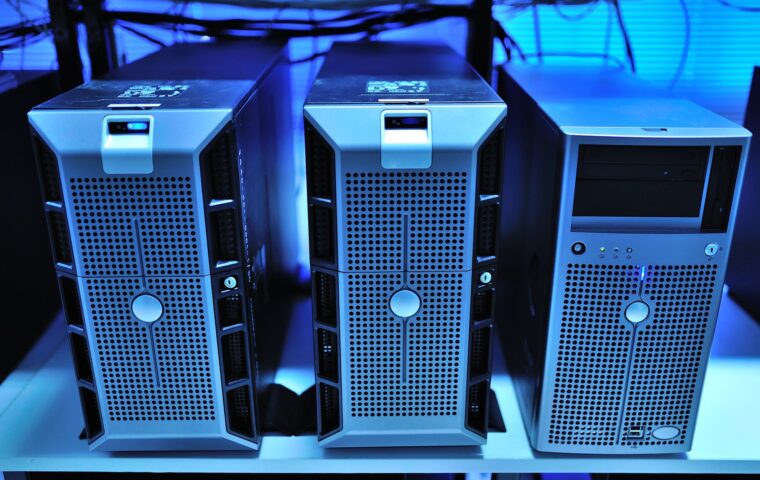
The gap between the two states can be large. A small board might sit near three watts and top out around nine, while a recycled office tower can draw fifty-five watts doing nothing and push past a hundred and fifty under load. Two machines with similar peak numbers can therefore cost very different amounts to keep alive, purely because their resting behavior differs so much.
Idle versus peak for common hardware
The figures below are approximate, measured at the wall, and shift with attached storage and peripherals. Treat them as starting points rather than promises, because a single spinning drive or an extra memory module moves the idle number more than most people expect.
| Hardware | Typical idle | Typical peak |
|---|---|---|
| Raspberry Pi 4 | About 2.7 W | About 6.4 W |
| Raspberry Pi 5 | About 3.9 W | Around 9 W |
| Intel N100 mini PC | 7 to 10 W | Up to 30 W |
| Two-bay NAS, drives active | 15 to 20 W | Around 30 W |
| Recycled desktop tower | 45 to 70 W | 150 W or more |
Which of these fits depends on the jobs you intend to run, the ground the guide on what small boards handle well lays out.
Turning watts into a yearly cost
The arithmetic is short. Multiply the power in watts by the hours the machine runs, divide by a thousand to reach kilowatt-hours, then multiply by your electricity rate. For anything left on permanently the hours are 24 times 365, which comes to 8,760.
Take a mini PC that idles at 9 watts. Nine watts across 8,760 hours is 78,840 watt-hours, or 78.8 kilowatt-hours in a year. At a rate of 0.16 per kilowatt-hour that works out near 12.61 for the twelve months. Now suppose the same box spends four hours a day working at 28 watts and the other twenty hours idling at 9 watts. That is 28 times 4 plus 9 times 20, which is 292 watt-hours a day, 106.6 kilowatt-hours a year, close to 17.06. The busy hours add only about four and a half over the year, underlining where the money goes: the idle baseline, not the occasional burst.
Services that genuinely sit light
Some jobs almost never tax a processor. A DNS ad-blocker, a lightweight reverse proxy, a home automation hub, a small Git repository, a file-sync daemon, and a static website all spend nearly all their time waiting. These are the natural residents of a low-power server, and you can stack several on one board without the idle draw moving much at all.
Other jobs are heavy by nature. Transcoding video for a streaming client, indexing a photo library with face detection, compiling large projects, and answering a busy database each push the processor hard and pull the peak figure up. A lean system image helps the light group stay light, since a slimmer install wakes fewer background tasks, a choice the guide on picking the right board system works through.
Sleep and wake tradeoffs
Switching a server off between jobs sounds thrifty, and sometimes it is, but a machine that must answer at any moment cannot sleep deeply without missing requests. Wake-on-LAN can rouse a sleeping box, yet something on the network has to send the signal, which means another always-on device. Spinning a hard drive down and up repeatedly saves a little power while adding wear and a delay each time the platters come back to speed.
Suspend-to-RAM cuts draw sharply but drops network responsiveness, so a DNS server or automation hub is a poor candidate for it. A backup target needed only at night is a good one, since a scheduled wake covers the window and the box sleeps the rest of the day. For the very lightest always-on duty, such as reading one sensor a minute, even a full board is more than the task needs, a distinction the guide on tiny controllers beside full computers explains.
Measuring your own draw
Published thermal design figures and the rating stamped on a power supply are ceilings, not consumption, so the only reliable number is one you measure. A plug-in energy meter or a smart plug with power reporting sits between the wall and the server and shows real watts. Let the machine settle at idle for ten to fifteen minutes before trusting the reading, since background tasks just after boot inflate it.
Measure at the wall rather than at the components, because the power supply itself wastes energy, and a unit running at a small fraction of its rating is often well below its best efficiency. If you would rather build your own meter, a current sensor wired to a board’s header can log draw over time, the electrical groundwork the guide on how the pin header behaves lays out.
What the numbers tell you
The headline figure to chase is idle draw, since that is what runs for thousands of hours while the interesting work happens in short bursts. A machine that idles at five watts costs a few coins a year to keep waiting, while one that idles at sixty can cost more than the hardware saved by buying second-hand. Choosing quiet hardware and lean services beats any amount of clever scheduling on a thirsty box.
Measure before you assume, because published numbers rarely match the wall, and the surprises usually favor caution. Once you know your idle and load figures, the annual cost is a minute of arithmetic, and leaving a server running becomes a clear tradeoff rather than a vague worry about waste.
Frequently asked questions
How much does a home server cost to run?
It depends almost entirely on idle draw and your electricity rate. A board idling at five watts uses about 44 kilowatt-hours across a year, a small sum at typical rates. A recycled tower idling at sixty watts uses roughly twelve times that. Multiply the watts by 8,760 hours, divide by a thousand for kilowatt-hours, then multiply by your rate to reach a yearly figure.
What is a good idle power draw?
For a small always-on server, anything under about ten watts at idle is comfortable, and single-board machines often sit between three and five. Mini PCs with efficient chips land near seven to ten. Once idle climbs past thirty or forty watts you are paying meaningfully for the waiting time, which fills most of the year, so lower is nearly always worth targeting.
Should I leave a home server on all the time?
If it hosts services others rely on at unpredictable moments, such as DNS or home automation, leaving it running is usually right, and a low idle draw keeps that cheap. If it only performs scheduled jobs like nightly backups, a timed wake or suspend saves power without missing work. Match the power strategy to how often the machine is genuinely needed.