Losing the only copy of your files, to a failed drive, a stolen laptop, a mistaken deletion, or ransomware, is the kind of event people plan for only after it happens once. The 3-2-1 rule is a simple discipline that makes such a loss survivable. It describes how many copies of your data to keep, on how many kinds of media, and how many of them to store away from home. Following it turns a single failure into an inconvenience rather than a catastrophe, and the steps below build a version that runs on its own.
What the rule actually says
The rule is three numbers. Keep at least three copies of your data, the working original plus two backups, so that no single loss leaves you with nothing. Store those copies on at least two different types of media, so a weakness in one type, a bad batch of drives for example, cannot take every copy at once. And keep at least one copy offsite, physically away from where you live and work, so a fire, flood, or theft cannot destroy every copy in one event. Each number answers a different failure, which is why the combination is stronger than simply making more copies of the same kind, and why understanding what a backup guards against, the subject our guide to what backups protect against sets out, matters before you choose the pieces.
Choosing your local copies
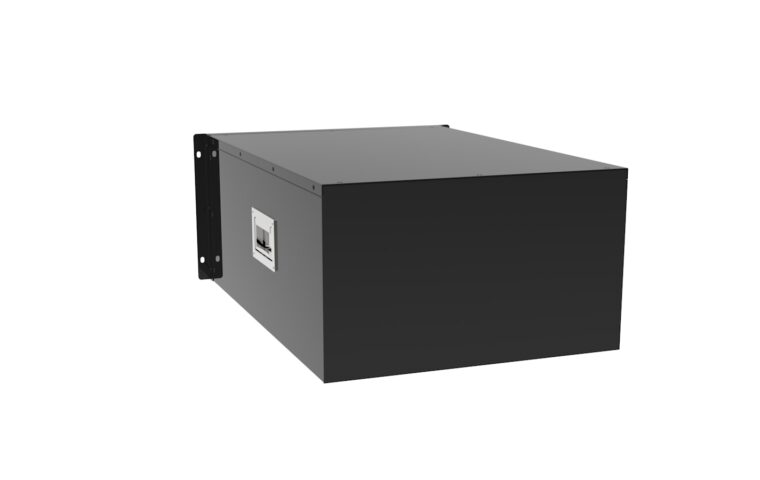
The copies you keep at home give fast recovery from the common problems, a dead drive or a deleted folder. An external drive or a network drive is the usual choice, large enough to hold everything with room to grow. Two different media types can be as simple as an internal drive plus an external one, or a drive plus a copy on a network device. A point worth being clear about is that a mirrored drive array is not a backup: it keeps a system running when a drive dies, but it copies deletions and corruption to both drives instantly, so it defends against hardware failure only, the distinction the primer on what RAID protects against makes plain.
Choosing an offsite copy
The offsite copy is what saves you from losing the whole building. There are two practical routes. One is an online backup service or general cloud storage, which sends an encrypted copy over your connection and keeps it in a distant data centre. The other is a physical drive kept elsewhere, at work or a relative’s house, and rotated home occasionally to update. Many people use both a local drive and a cloud copy, which also supplies the two media types the rule asks for, a pairing the explainer on cloud against local storage weighs in detail. Whichever you pick, the offsite copy should be as automatic as possible, because a backup that relies on remembering to carry a drive tends to fall out of date.
Building the plan step by step
With the pieces chosen, the setup is straightforward.
- List what you actually need to protect: documents, photos, project files, and anything not easily downloaded again. This is your first copy, the original.
- Attach a local backup destination, an external or network drive with capacity for everything plus headroom, and note its drive letter or mount point.
- Install backup software, the tool built into your operating system or a third-party program, and point it at that local destination for the second copy.
- Set up an offsite target, a cloud backup account or a rotated external drive, and add it as a second job for the third copy.
- Turn on encryption for the offsite copy so your files stay unreadable if the drive or account is ever exposed.
- Run both jobs once by hand and confirm each finishes and reports the amount of data you expected.
How often to back up, and automating it
How often to run a backup depends on how much work you are willing to lose. For files that change through the day, a daily backup is a sensible floor, and active projects justify more frequent runs, every few hours. The aim is to remove yourself from the loop: schedule the jobs so they run on their own, local backups nightly and the offsite copy continuously or once a day, rather than relying on memory. Sizing matters here too, since a backup target needs room for your data plus its version history, so estimating capacity honestly, the way our look at how much storage you need suggests, keeps you from running out partway through a schedule.
Testing that a restore works
A backup you have never restored from is a hope, not a plan. Backups fail quietly: a job that stopped months ago, a target that filled up, files that were never included, an archive that turns out corrupt. The only way to know yours works is to test it. Every few months, pick a file and restore it from the local copy, then restore one from the offsite copy, and confirm the contents open correctly. Once a year, try a larger restore, a whole folder, to be sure the process holds at scale and that you still remember how to do it. A tested restore is the difference between a backup that protects you and one that only appears to.
Where this leaves you
The 3-2-1 rule endures because it maps directly onto the ways data is actually lost. Three copies cover deletion and drive death, two media types cover a fault that hits one kind of storage, and one offsite copy covers the loss of the whole location. Build it once, automate it, and the arrangement quietly protects you against the full range of failures rather than only the one you happened to imagine.
The plan does not have to be elaborate or expensive. An external drive and a cloud backup account, both set to run on their own, satisfy every part of the rule for most households. What matters is that the copies are real, kept on different media, separated by distance, and proven by the occasional test restore. Set up with that much care, your files survive the failure that would otherwise have erased them, and the loss becomes a minor annoyance instead of a permanent one.
Answers to common questions
What exactly does the 3-2-1 rule mean?
It means keeping at least three copies of your data, on at least two different types of storage media, with at least one copy stored offsite. The three copies guard against deletion and drive failure, the two media types guard against a fault affecting one kind of storage, and the offsite copy guards against fire, flood, or theft taking everything in one place. Each number addresses a different risk.
Is cloud storage enough on its own?
On its own it is incomplete. Cloud storage gives you a good offsite copy, but relying on it alone leaves you with two copies at most and a single medium, and it ties recovery to your connection speed and the provider staying in business. Pairing a cloud copy with a local backup gives faster restores for everyday problems and the two media types the rule asks for, which is the safer arrangement.
How often should I run backups?
Often enough that losing everything since the last run would not hurt. For most people a daily automatic backup is a sensible baseline, since it caps the loss at one day of work. Active projects that change through the day justify more frequent runs, every few hours. The important part is automation: schedule the backups so they happen without your involvement, because a plan that depends on remembering will eventually be forgotten.