A smart home that leans entirely on the cloud stops working the moment the internet drops or a company shuts down a service. Running your own hub keeps the lights, sensors, and switches talking to each other inside the house, whether or not anything outside is reachable. For a newcomer the word hub can sound vague, so this primer explains what the box really does, the wireless standards it speaks, the hardware that can run it, and the privacy and reliability differences that follow once control moves off distant servers and onto a machine you own.
Local control versus the cloud
Many off-the-shelf devices send every command through a manufacturer’s servers. Pressing a button in an app sends your request out to the internet, which relays it back to a bulb sitting a few metres away. That round trip adds delay, and it fails completely during an outage. A local hub flips the arrangement. The devices report to the hub on your own network, rules run on that hub, and the loop closes indoors, so a light switch keeps working when the broadband does not.
Cloud control is not worthless. It is simple to set up and it makes remote access easy. The trade is that you depend on a company keeping its servers running and its app supported, and neither of those is guaranteed for the life of the hardware.
The wireless standards worth knowing
Smart devices do not all speak the same language, and part of a hub’s job is bridging them. Wi-Fi devices join your normal network. Low-power gadgets such as sensors and bulbs often use Zigbee or Z-Wave, short-range mesh systems where each mains-powered device passes messages along for the others. Thread is a newer mesh, and Matter is an agreement that lets devices from different brands work together over these networks. A hub with the right radios ties them into one system.
| Standard | How it connects | Typical use |
|---|---|---|
| Wi-Fi | Joins your home network directly | Cameras, larger appliances |
| Zigbee | Low-power mesh, needs a coordinator | Sensors, bulbs, plugs |
| Z-Wave | Low-power mesh on a separate frequency | Locks, sensors, switches |
| Thread | Low-power mesh over internet protocol | Newer sensors and lights |
| Matter | A common layer over Wi-Fi and Thread | Cross-brand compatibility |
Hardware to run the hub
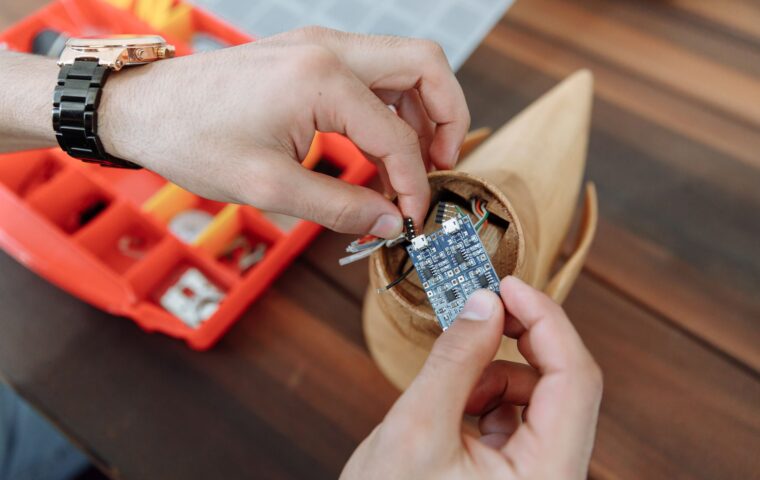
The software that runs a local smart home, with Home Assistant being the best-known example, is light enough for modest hardware. A Raspberry Pi 4, a small mini PC, or an old laptop all have enough capacity for a house full of devices. The parts that matter are a stable power supply, storage that will not wear out quickly, and one or two USB radio sticks to speak Zigbee or Z-Wave, since most small computers have no such radio built in.
Picking the machine is one instance of the wider question of what a small board is good for, which our guide to everyday Pi projects works through. For a hub, favour something you can leave untouched for months, because you will soon forget it is there.
Running the software cleanly
How you install the hub software shapes how easy it is to maintain. Putting it in a container keeps it separate from the operating system, so an update or a mistake can be rolled back without disturbing the rest of the machine. That habit of isolating each service, described in the walkthrough on containers on a small board, pays off when you later add related tools next to the hub itself.
There is a second benefit. Because the setup is described in a few text files, you can copy those files to another machine and have the same hub running in minutes after a failure. Snapshots taken before each upgrade give you a quick way back if a new version misbehaves, which turns what could be a nervous job into a calm and repeatable routine.
The privacy side
When control lives at home, the record of when you come and go, which rooms you use, and when you sleep stays on your hardware instead of a company’s database. Devices that would normally chatter to outside servers can be walled off from the internet entirely once the hub handles them locally. Keeping that data indoors mirrors the reasoning behind hosting your own files on a home server, where the appeal is knowing exactly where personal information sits and who can reach it.
There is a practical limit worth naming. A handful of devices insist on a cloud sign-in before they will pair at all, and no local hub can change that. Reading the requirements before buying, and favouring gear that speaks Zigbee, Z-Wave, or Matter, is the surest way to keep as much of your home as possible answering only to hardware in the house.
Staying reliable
A hub becomes the heart of the house, so its steadiness matters more than raw speed. Give it a wired network link where possible, back up its configuration, and consider a small battery so a brief power cut does not corrupt storage. Automations that run on a schedule, the sort covered in the notes on tasks that run on their own, should live on the hub rather than an outside service, so they fire even when the connection is down.
The reliability payoff is real but it asks for a little discipline. A local system that nobody backs up is one memory-card failure away from a rebuild, so treat the configuration as something worth copying elsewhere now and then.
What this means in practice
A hub is worth the setup when you want your home to keep behaving during an outage, when you dislike the idea of daily habits sitting on outside servers, or when you own devices from several brands that otherwise refuse to cooperate. It asks for a modest box, a radio stick or two, and an afternoon of learning, and in return it gives you a system that answers to you.
If you own only a couple of smart plugs and never plan to grow, a hub may be more than you need. The moment the count climbs, or the moment a cloud service annoys you, a local hub turns a scattered set of gadgets into one dependable whole that you control.
Frequently asked questions
What is a smart home hub?
A hub is a central box that connects your smart devices, translates between the wireless standards they use, and runs the rules that make them act together. Instead of each gadget talking only to its own app, they all report to the hub, which decides what happens. It can run on hardware as small as a Raspberry Pi and keeps working inside the house even without internet.
Can I run home automation locally?
Yes. Software such as Home Assistant runs entirely on your own machine, storing rules and history at home and controlling devices over your network. With the right radio for Zigbee or Z-Wave gadgets, most actions never leave the house. Cloud access becomes optional, used only when you want to reach the system while away, rather than a requirement for the lights to respond.
Do I need a hub for smart devices?
Not always. A few Wi-Fi plugs or bulbs can run through their own apps with no hub at all. A hub earns its place once you own many devices, mix brands that will not otherwise cooperate, or want everything to keep working during an internet outage. It also centralises control and keeps your usage data on hardware you own rather than scattered across company servers.