Every computer stores its working data in memory as billions of tiny charges, and just occasionally one of them flips, a zero becoming a one, from a stray cosmic ray, electrical noise, or a marginal chip. On most home machines this is rare and usually harmless. On systems that run for weeks handling valuable data, a single silent flip can corrupt a file or crash a program with no warning. Error-correcting memory, ECC, exists to catch and repair those flips. This guide explains how it works, how it differs from ordinary memory, where it is supported, and who actually needs it.
Bit-flips and how ECC catches them
A memory bit-flip is exactly what it sounds like: a bit that was set to one value is read back as the other. Sometimes the cause is a background particle passing through the chip, sometimes it is heat or an aging cell. In ordinary memory nothing checks for this, so the wrong value simply flows into whatever was using it, and you may see a corrupted document, a wrong calculation, or a mysterious crash that never repeats.
ECC memory adds extra bits that store a mathematical summary of each chunk of data. When the data is read, the controller recomputes that summary and compares it. A single flipped bit no longer matches, so the hardware corrects it on the fly and records the event, while two flipped bits at once are detected even if they cannot be fixed. This common scheme is called single-error correction with double-error detection, meaning it repairs one flipped bit in a protected word and still flags two, which covers the large majority of real events. This guards the accuracy of data in memory, a different job from protecting it against tampering, which belongs to security hardware such as the components covered in our piece on on-chip security and trusted platform modules.
ECC versus standard memory
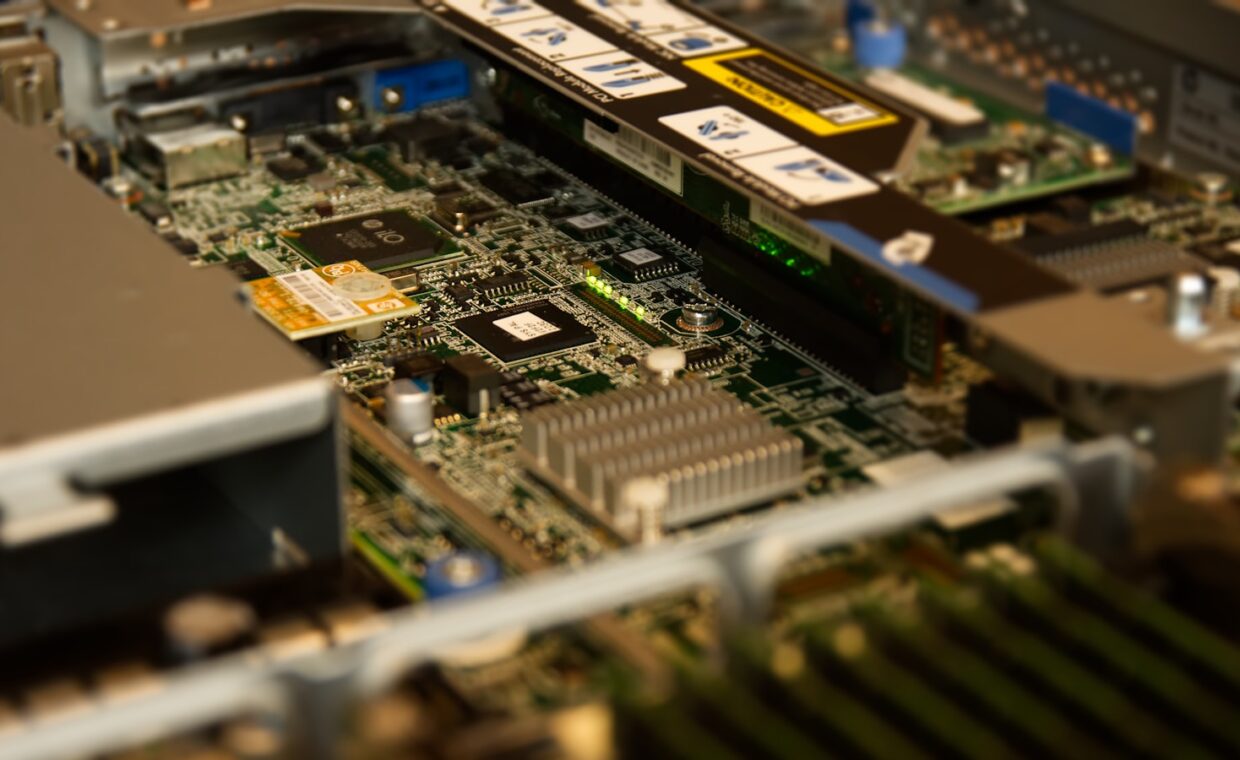
Physically, an ECC module looks much like a normal one, with one visible clue: it usually carries an extra memory chip per rank to hold the correction bits. A standard 64-bit wide module becomes 72 bits wide. That extra width is where the check information lives, and it is why ECC modules cost a little more and are built to tighter standards.
The functional difference is what happens on an error. Standard memory trusts every value it returns, while ECC verifies and, for single-bit errors, fixes it silently and notes that it happened. Telling the two apart on a product listing is not always obvious, and our guide to reading a processor’s specification sheet helps, because whether ECC does anything at all depends as much on the chip reading the memory as on the module itself.
Registered and unbuffered modules
ECC also comes in more than one form. The kind found in most workstations is unbuffered, sitting directly on the memory bus like ordinary desktop memory. Servers that carry very large amounts of memory often use registered, or buffered, modules, which add a component that eases the electrical load so more sticks can share a channel. Both correct errors the same way; they differ mainly in how many modules a system can hold.
Platforms and processors that support ECC
ECC is not just a property of the memory stick. The processor’s memory controller has to understand the extra bits and act on them, and the motherboard has to wire them through. If any link in that chain ignores ECC, the module still runs but behaves like ordinary memory, quietly dropping its protection. Which component sets the rules is explained in the primer on how the memory controller governs what you can fit.
Historically, ECC lived in the server and workstation world. Server platforms from both major chip makers support it as standard, along with their workstation processor lines and matching motherboards. On mainstream desktop platforms support is patchy: some processor and chipset combinations enable it, many disable it to separate consumer parts from professional ones. Laptops and small machines almost never offer it. The table sums up where you are likely to find it.
| Platform | ECC support | Typical user |
|---|---|---|
| Server processors | Standard, expected | Data centres, always-on services |
| Workstation processors | Standard on the professional lines | Engineers, researchers, creators |
| Mainstream desktop | Sometimes, depends on chip and board | Home and office PCs |
| Laptops | Almost never | Everyday portable use |
Who benefits and who can skip it
The value of ECC scales with how much you rely on the machine staying correct over long, unattended runs. A file server holding the only copy of family photos, a workstation running day-long simulations, a home lab, or a small business database all benefit, because a silent error there can spread into backups before anyone notices. Machines that run continuously also see more chances for a flip simply through hours of uptime.
For a typical desktop used for browsing, office work, media, and gaming, the case is weaker. Errors are infrequent, most have no lasting effect, and a rare crash is an annoyance rather than a disaster. Spending extra on ECC memory and a platform that supports it often buys little for that user. Reliability across many years is shaped far more by heat and component quality, the slow wear the explainer on how chips age over their lifespan describes, than by the occasional bit-flip.
Making the decision
Decide by asking what a silent, undetected error would cost you. If the answer is a corrupted archive, a wrong result you might trust, or downtime on something others depend on, ECC earns its modest premium and the platform choice it requires. If the answer is a shrug and a restart, ordinary memory is the sensible, cheaper choice, and the money is better spent on capacity, storage, or cooling.
Remember that ECC is a system decision, not a single purchase. The memory, the processor, and the board all have to agree, so plan it at build time rather than hoping to add protection later. For most people at home the honest answer is that they can skip it. For those running always-on storage or serious computation, it is quiet insurance against the kind of fault you would otherwise never see coming.
Quick answers
Do I need ECC memory in a home PC?
For most home use, no. Everyday browsing, office work, media, and gaming tolerate the rare bit-flip without lasting harm, and a very occasional crash is a minor cost. ECC becomes worthwhile if the machine acts as an always-on file server, runs long computations, or holds the only copy of important data, where a silent error could spread unnoticed into your backups.
Does ECC memory slow the computer down?
Only slightly, and rarely in a way you would feel. The check and correction add a small overhead, so ECC memory often runs a touch slower than the fastest standard modules, on the order of a few percent in memory-heavy tests. For normal tasks the difference is invisible. The trade is a tiny amount of speed for protection against silent errors, which most affected users gladly accept.
Will any motherboard accept ECC RAM?
Not for full protection. Many boards let an ECC module physically fit and run, but the error correction only works if the processor’s memory controller and the board’s firmware both support it. On server and workstation platforms that support is expected; on mainstream desktops it varies by chip and chipset, and laptops almost never provide it. Check the processor and board specifications before buying.