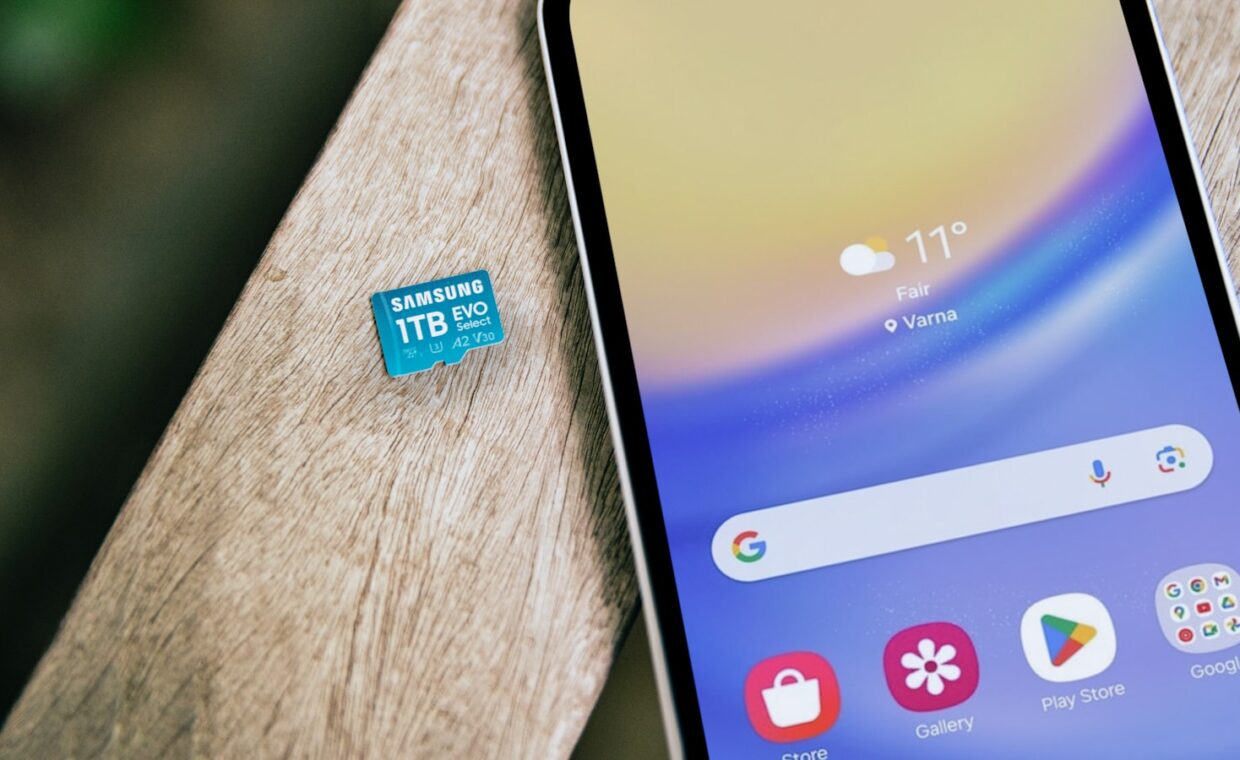
For years a microSD card slot was a routine box to tick on a phone‘s spec sheet, a cheap way to add space for photos and music later on. That slot has quietly vanished from most flagship phones and many mid-range ones, leaving buyers to choose the right amount of built-in storage at the moment of purchase. The change is often read as manufacturers being mean, and there is some truth in that, yet the technical picture is more mixed than it first looks. This guide sets out what a card can and cannot do, why sealed storage is faster, and how to judge how much you really need.
Why the card slot is vanishing
Several forces pushed the slot out. A card slot needs physical space and an opening in the chassis, and removing it frees room inside an already crowded phone while also closing one more gap that water and dust could enter. The space that opens up goes to other parts, larger camera modules, bigger batteries and biometric sensors, reflecting the design priorities that also shape features such as the readers our coverage of face unlock versus fingerprint sensors compares.
There is a commercial motive too. Selling storage in fixed tiers, where the jump from a smaller to a larger model costs far more than the flash memory itself, is profitable, and a card slot undercuts that by letting buyers add cheap space themselves. Both things are true at once, the slot is awkward to engineer and lucrative to remove, which is why it disappeared even from phones with plenty of internal room.
The speed gap that matters
The storage soldered inside a modern phone is not just larger, it is far quicker than any microSD card. Internal flash connects directly to the processor over a fast interface and is built for the small, scattered reads and writes that apps and the system perform constantly. A memory card, by contrast, talks over a slower bus and is tuned mainly for streaming big files like video, not for the busy random access that makes a phone feel responsive.
The practical result is that anything running from a card feels sluggish next to the same thing on internal storage. Large sequential transfers, copying a film onto a card, can look respectable on paper, but the everyday pattern of many tiny operations is where cards fall far behind. That gap is the core technical reason a card cannot simply stand in for internal space without a noticeable cost.
What a memory card can and cannot store
A card is well suited to bulk media that is read in a straightforward way, such as a photo library, downloaded video, offline music and documents. For these it is genuinely useful, adding tens or hundreds of gigabytes for a modest price. Where it struggles is apps and the system itself. The table below sets the two approaches side by side on the factors that decide the choice.
| Factor | Expandable card | Sealed internal only |
|---|---|---|
| Cost per gigabyte | Low, cards are cheap to add | Higher, paid once at purchase |
| Everyday speed | Slower at small random reads | Fast flash tied to the processor |
| Running apps | Limited and often sluggish | Full speed for every app |
| Reliability | Card can corrupt, fail or be lost | Fewer separate parts to go wrong |
| Resale appeal | Slot attracts some buyers | Higher base storage holds value |
Buying the right amount of built-in storage
With the slot gone from most phones, the sensible move is to buy enough internal storage to last the phone’s whole life, then treat the number as fixed. Work out how you actually use space. Someone who streams music and video and keeps photos in the cloud can live comfortably on a smaller tier, while someone who shoots a lot of high-resolution video, keeps games installed and stores media offline should aim higher and pay the premium once.
It is worth leaving a margin rather than buying to the edge, because a phone that is almost full slows down and struggles with routine tasks. System updates in particular need free space to download and install, and a stuffed phone can block them, so keeping headroom ties directly into whether you can accept an update the moment it arrives, the timing the breakdown of installing phone updates without delay examines. A little extra storage bought up front avoids that corner.
The resale angle
Storage shapes resale value more than most buyers expect. On the used market, higher-capacity models command clearly better prices, because the storage cannot be added later and buyers know it. Paying once for a larger tier is partly an investment that comes back when you sell, whereas a base-storage phone can be harder to move on and fetches less.
A remaining niche still values the card slot itself, and the shrinking set of phones that keep it hold a particular appeal for buyers who store large offline libraries. Buyers also weigh how long the phone will keep receiving software, since a model supported for longer stays desirable used, a lifespan our piece on how many years a phone is supported maps out. Storage capacity and support length together do much to set what a used phone is worth.
What this means in practice
The disappearance of the card slot is not purely a cost-cutting story, even if profit plays its part. Sealed storage really is faster, more reliable and better suited to the way modern apps behave, so for most people the loss of expandability is smaller than the headline suggests. The catch is that it moves the important decision forward, to the moment of buying, where a mistake is harder to fix afterwards.
Choose the storage tier deliberately, matching it to how much you keep on the device rather than in the cloud, and leave room to grow. Storage is only one part of the buying decision, sitting alongside the screen, the cameras and the charging speed our guide to how fast charging works with batteries explains, but it is the one thing you cannot change later, which is exactly why it deserves careful thought before you commit.
Quick answers
Should I buy a phone with expandable storage?
If you keep large offline libraries of photos, video or music and want cheap space, a card slot is genuinely useful and worth seeking out. For most people, though, buying enough built-in storage at purchase is simpler and faster, and few current phones offer a slot anyway. Decide by how much you download and keep locally rather than stream, then size the internal storage to match.
Can I run apps from an SD card?
Only in a limited way. Modern Android can move some app data to a card, or adopt a card as internal storage, but performance suffers because cards are far slower at the small random reads apps depend on. Many apps refuse to move at all. Treat a card as room for photos, video and downloads, and keep the apps themselves on the faster built-in storage.
Is a memory card as fast as internal storage?
No. Even a quick microSD card trails the flash soldered inside a modern phone, especially for the small scattered reads and writes that apps and the system carry out constantly. Sequential transfers of big files can look respectable, but random access, which is what makes a phone feel fast, is where the gap is widest. Internal storage wins clearly on everyday responsiveness.