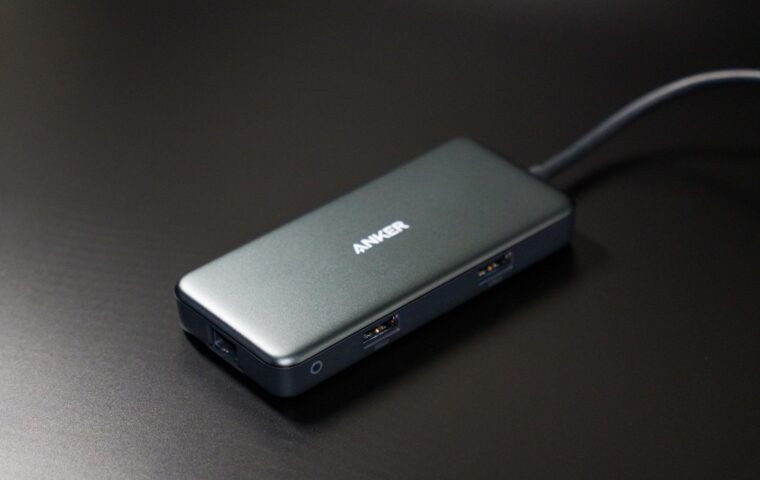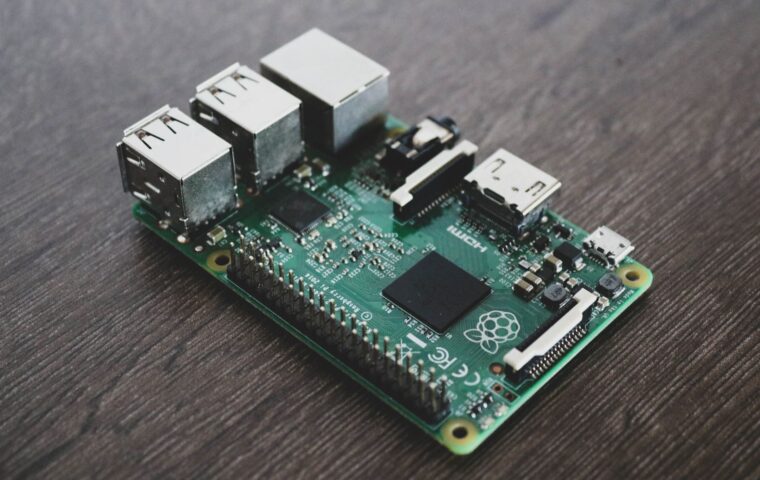
Deciding what should run your always-on services at home usually comes down to a choice between a single board computer and a small desktop machine, a mini PC. Both sit quietly in a corner, both sip power next to a full tower, and both can host the same containers and web apps. The differences that matter show up only once the box is doing real work, day after day. Comparing them on compute, power draw, storage, noise, and the true cost of a finished build makes the right pick clear for your own situation.
Compute and memory headroom
A modern single board computer is capable, with several cores and up to eight or sixteen gigabytes of memory, and it runs a light home server without complaint. A mini PC built around a low power x86 chip pulls ahead once the load grows. Its cores are quicker per clock, it accepts far more memory, and its processor takes on tasks like video transcoding or several virtual machines that would leave a small board straining.
Headroom is really about how many jobs share the box. One service on a board is fine. Ten containers, a database, and a media library at once ask for the reserve a mini PC keeps in hand. Where a board runs short, some people add more boards instead of a bigger one, an approach the primer on linking small computers together walks through, though a single mini PC often replaces the whole stack with less to manage.
Idle power over a full year
Since the machine never switches off, idle draw matters more than the peak. A single board computer at rest typically pulls a few watts, while a small x86 mini PC tends to sit somewhat higher, often in the region of six to ten watts depending on the chip and board. The gap is real but modest, and across a year it comes to a few units on an electricity bill rather than a decisive figure.
Two things soften the comparison. A board needs a clean, adequate supply to behave, and undervoltage causes exactly the random faults our piece on powering a Raspberry Pi properly warns about, while a mini PC ships with a supply matched to it. Measuring your own idle draw with a cheap plug meter beats trusting spec sheets, since firmware and attached drives shift the number either way.
Storage without the workarounds
Storage is where a mini PC quietly earns back its extra cost. Most models take an M.2 NVMe drive and often a 2.5 inch SATA drive as well, so a fast, reliable disk is simply fitted, not adapted. A small board usually depends on a memory card, or a disk dangling from a USB port, and only the newest add a PCIe lane for NVMe through an extra board.
There is a middle path on the board side worth knowing. Rather than a local card, a Pi can pull its system from another machine over the network, the method the walkthrough on network booting a Pi details, which sidesteps card wear. A mini PC rarely needs the trick, since its internal drive already solves the problem the network boot is working around.
Mini PC and single board computer side by side
Laid out together, the two classes of machine trade strengths in a fairly predictable way.
| Factor | Mini PC | Single board computer |
|---|---|---|
| Per-core speed | Higher | Adequate |
| Memory ceiling | Large, often expandable | Fixed, up to 8 or 16 GB |
| Idle power | Higher, still low | Lowest |
| Internal storage | NVMe and SATA built in | Card or USB, PCIe on newest |
| Starting size | Small sealed box | Bare board |
Noise and physical size
A single board computer has an obvious edge on silence and footprint. With no moving parts in a basic setup, it makes no sound at all and hides almost anywhere. Many mini PCs include a small fan that spins up under load, giving a faint hum, though a growing number of low power models are fully passive and just as quiet.
Size follows the same pattern. A bare board is smaller than any mini PC, yet once you add a case, cooling, and a separate drive, the assembled board is not far off the volume of a compact desktop box. For a shelf or a cupboard the practical difference is minor, and either machine disappears behind a router.
The real cost once extras are added
A board looks cheaper until the receipt is complete. Its bare price rarely includes a case, a proper supply, cooling, and storage, and a good memory card or USB SSD is a real line item. Added together, a finished board build can land close to the price of a small mini PC, especially a used ex-office model that already contains memory, an SSD, and a supply.
The board still makes sense when its low price and low power suit the plan, and the range of jobs it does well, gathered in the overview of common Raspberry Pi projects, is wide. The point is only to compare finished builds, not a bare board against a complete computer, so the decision rests on real numbers rather than a headline figure.
Which box earns the corner
Pick the mini PC when the server carries several services at once, transcodes video, runs virtual machines, or simply needs to be quick and forgettable, since its compute, memory, and built-in storage remove the usual friction. Its slightly higher idle draw and occasional fan are a small price for not fighting the hardware. For a busy, mixed workload it is generally the calmer choice.
Pick the single board computer when power draw, silence, and a low entry price lead your list, or when the tinkering is the point rather than the destination. A board is well suited to one or two light services and to learning how the pieces fit together. Match the machine to the work it will actually do, and either can run happily for years.
What readers often ask
Is a mini PC better than a Raspberry Pi for a server?
For a heavier or mixed workload, usually yes, because a mini PC offers faster cores, more memory, and internal drives without adapters. A Raspberry Pi wins on the lowest idle power, silence, and a low starting price, and it is plenty for one or two light services. The better choice depends on how much the server has to do at once.
How much power does a mini PC server use?
A modern low power mini PC commonly idles around six to ten watts and climbs to perhaps fifteen to twenty five under load, depending on the processor and drives fitted. Older models draw more. Since a home server spends most of its time near idle, the resting figure dominates the yearly cost. A plug-in energy meter gives you the exact number for your unit.
Can a mini PC run 24/7?
Yes. Mini PCs are built to stay on continuously, and many began life as office desktops that ran all day for years. Give one decent airflow, keep the vents clear of dust, and fit a reliable drive, and it will run indefinitely. The main wear items are the fan and the storage, both cheap to replace when the time eventually comes.