Traditional hard drives, with their spinning platters and moving heads, fail differently from solid state drives, and because they have moving parts, they often give warning signs before they fail completely. Recognising these signs can be the difference between rescuing your data and losing it, since a failing hard drive frequently announces itself if you know what to listen and look for. Understanding how hard drives fail, and acting on the warnings, is genuinely valuable.
How mechanical drives fail
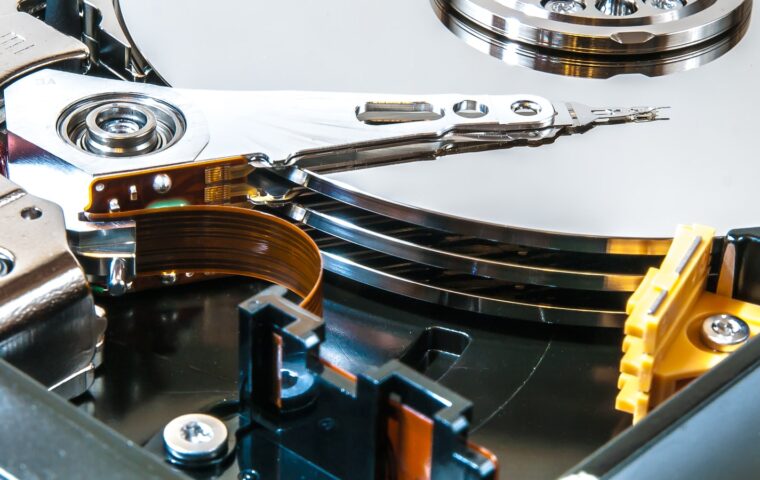
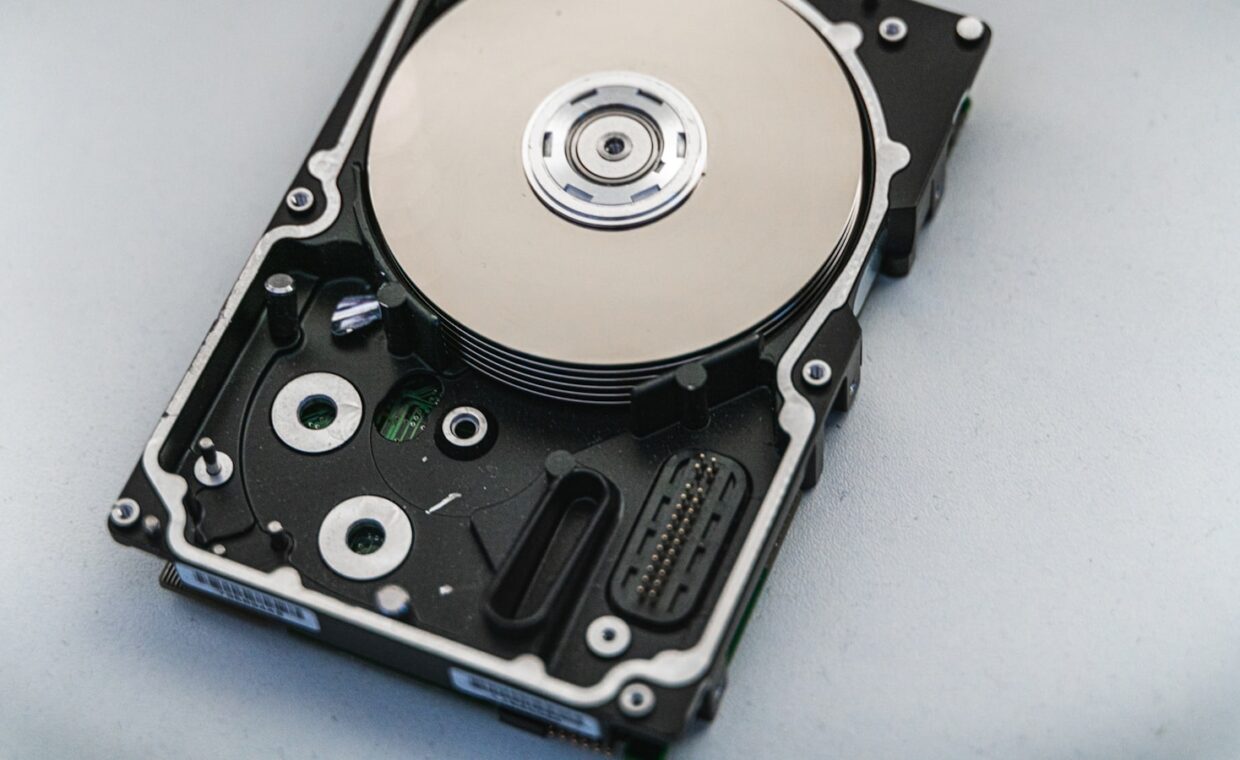
A hard drive stores data on spinning platters read by heads that float just above the surface, and this mechanical nature is the source of its failure modes. Over time, the moving parts wear, the platters can develop bad areas, and the mechanism can degrade, leading to failure. Because the failure often involves gradual mechanical degradation, it frequently happens progressively rather than all at once, giving warning signs as the drive struggles before it fails completely. This is different from the wear of an SSD, and it means a hard drive often provides a window of warning that, if heeded, allows the data to be rescued, the mechanical-versus-flash distinction the guide on how SSDs wear differently draws.
The warning signs
- Unusual noises. Clicking, grinding, or repeated whirring from a hard drive are serious warning signs, since a healthy drive is relatively quiet. These sounds indicate the mechanism is struggling, and they often precede failure.
- Slowdowns and freezes. A drive that has become slow, freezes when accessing files, or takes a long time to respond can be developing bad areas it struggles to read, a sign of degradation.
- Files disappearing or corrupting. Files that become corrupted, disappear, or fail to open can indicate the drive is failing to store or read data reliably.
- Errors and failed operations. Frequent errors when reading or writing, or operations that fail, point to a drive struggling to function.
Any of these, especially unusual noises, should be treated as a serious warning that the drive may be failing, prompting immediate action to protect the data, the urgency the walkthrough on recognising hardware trouble reflects in another context.
What the sounds mean
The sounds a hard drive makes are particularly telling, because they directly reflect the mechanism’s state. A regular clicking, sometimes called the click of death, often indicates the heads are failing to read the platters and repeatedly resetting, a serious sign. Grinding suggests physical contact where there should be none, and repeated whirring or spin-up sounds can indicate the drive struggling to start. A healthy hard drive is quiet, with only a gentle hum and soft access sounds, so any loud, repetitive, or harsh mechanical noise is a warning. Because these sounds mean the mechanism is failing, a noisy drive should be backed up immediately and taken out of service, since continued use risks total failure, the acting-on-signs approach the article on managing drives responsibly reflects.
Checking a drive’s health
Beyond listening, you can check a drive’s health with the built-in health monitoring that drives report, which tracks indicators of degradation. Certain values are especially telling, such as counts of bad areas the drive has had to work around, which rising indicates developing problems. Monitoring tools read this data and can warn of a drive in declining health before it fails outright, giving a technical warning to complement the audible one. Checking a drive’s health periodically, especially an older drive or one showing any symptoms, is a sensible habit that can catch a failing drive in time to save the data, the proactive check our coverage of protecting against drive failure complements.
What to do when you suspect failure
If you suspect a hard drive is failing, the priority is immediate: back up the data right away, before doing anything else, because a failing drive can fail completely at any moment, taking the data with it. Once the data is safe, the drive should be taken out of service, since continued use risks total failure and makes recovery harder. Do not delay backing up to investigate or repair, since every access to a failing drive risks pushing it over the edge. A failing hard drive is one of the few hardware situations where prompt action genuinely saves data, which is why recognising the signs matters so much: heeded in time, they allow a rescue; ignored, they precede loss. The ultimate protection, of course, is a backup made before any failure, so the drive’s death is an inconvenience rather than a disaster, the point the breakdown of protecting what matters reinforces.
Why hard drives deserve this attention
Hard drives deserve this attention because, unlike SSDs, they so often warn before they fail, offering a chance to save data that should not be wasted. Many people have lost data to a hard drive that had been making unusual noises for weeks, which they ignored until it failed completely, when acting on the first click could have saved everything. The warning signs are a genuine gift, a window to rescue data, and knowing to heed them, especially the audible ones, is one of the more valuable pieces of practical knowledge for anyone still using mechanical drives.
That said, the warnings are a safety net, not a substitute for the real protection, which is a backup made before any trouble. A drive that fails suddenly, or whose warnings you happen to miss, takes unbacked-up data with it, so relying on catching the signs in time is riskier than simply keeping a backup. The best practice combines both: keep a backup so that any drive failure is merely an inconvenience, and know the warning signs so that if a drive starts to go, you can act to protect anything not yet backed up. Together, awareness of the signs and a habit of backing up turn the failure of a mechanical drive from a potential disaster into a manageable event, which is the sensible way to live with hardware that will, eventually, wear out and fail.
Frequently asked questions
What sounds does a failing hard drive make?
Clicking, especially a regular repeated click sometimes called the click of death, grinding, and repeated whirring or spin-up sounds are all warning signs. A healthy hard drive is quiet, with only a gentle hum and soft access sounds, so any loud, repetitive, or harsh mechanical noise indicates the mechanism is struggling and the drive may be failing. Such sounds mean you should back up immediately and take the drive out of service.
Can a failing drive be saved?
The data often can, if you act immediately by backing it up before the drive fails completely. The drive itself, once it is failing mechanically, is usually best replaced rather than saved, since the degradation continues. The priority is always rescuing the data first, because a failing drive can fail totally at any moment. Professional recovery may retrieve data from a failed drive, but it is costly, so backing up at the first sign is far better.
How do I check hard drive health?
Use the built-in health monitoring that drives report, read by monitoring tools, which tracks indicators of degradation such as counts of bad areas the drive has worked around. A rising count of these indicates developing problems, and the tools can warn of declining health before outright failure. Checking periodically, especially for older drives or any showing symptoms, is a sensible habit that can catch a failing drive in time to save the data.