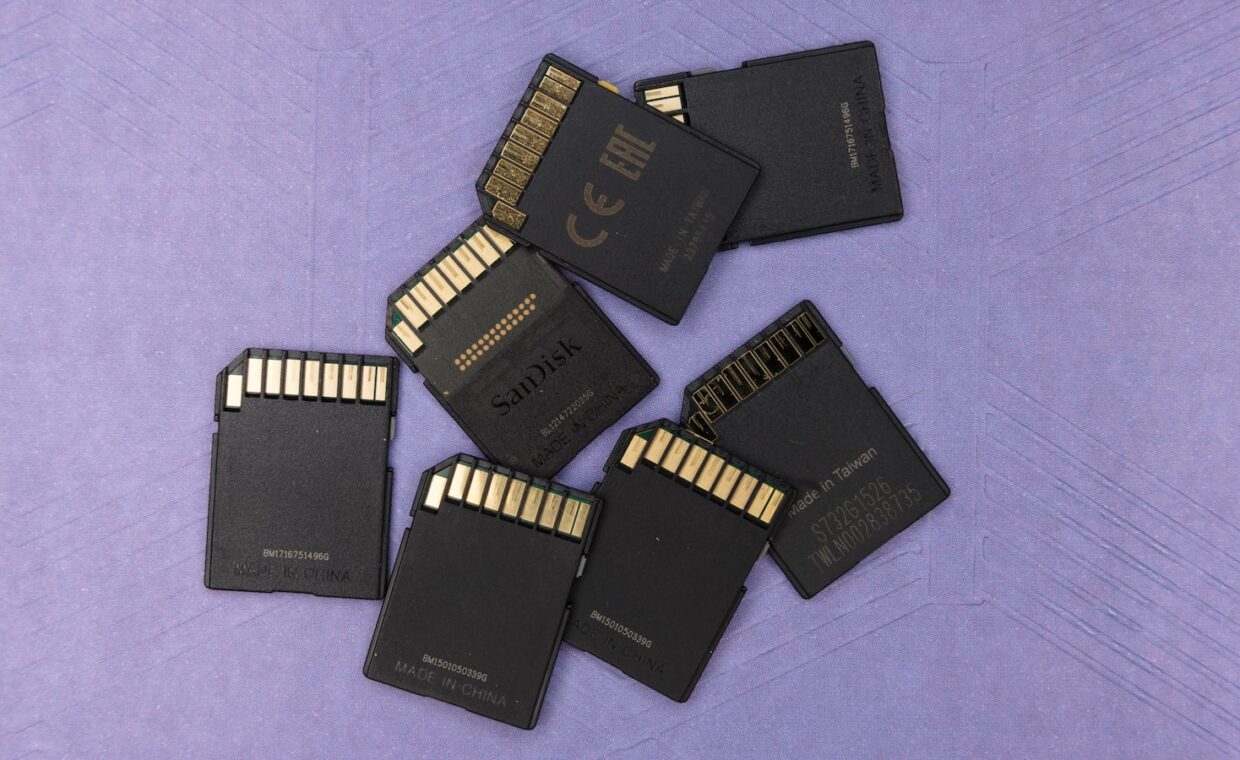
Buying an SD card should be simple, but the packaging is covered in a confusing array of speed ratings, symbols, and class numbers, several overlapping systems that seem designed to bewilder. Understanding what each rating means, and crucially which one matters for what you actually do, cuts through the confusion and helps you buy the right card rather than the most expensive or the cheapest.
Why there are so many ratings
SD cards carry multiple speed rating systems because the standards evolved over time, with newer, faster systems added alongside older ones, leaving several on the packaging at once. There are older speed class numbers, newer ultra-high-speed ratings, video-specific speed ratings, and application performance ratings, each measuring speed in a slightly different way for a different purpose. This overlap is why a card’s packaging can show several symbols and numbers, and why it is confusing: they are not redundant but measure different things, though only some matter for any given use. Understanding what each addresses is the key to reading the packaging, the multiple-overlapping-systems issue the primer on reading storage ratings reflects.
Sequential versus random speed
A crucial distinction underlies the ratings: sequential speed, how fast the card reads or writes large continuous files, versus random speed, how fast it handles many small scattered operations. The older speed classes and video ratings largely describe sequential speed, which matters for recording video and transferring large files, while the application performance ratings describe random speed, which matters for running applications from the card. This is why the right rating depends on your use: recording video needs good sequential speed, while running apps from a card needs good random speed, and a card excellent for one may be merely adequate for the other, the sequential-versus-random distinction the explainer on how storage performance is measured reflects.
| Rating type | Describes | Matters for |
|---|---|---|
| Speed class | Minimum sequential speed | General use, older devices |
| UHS rating | Higher sequential speed tiers | Fast cards, high-resolution video |
| Video speed class | Sustained sequential for video | Recording high-resolution video |
| Application rating | Random speed | Running apps from the card |
Which rating matters for which use
The practical way to choose is to match the rating to your use. For recording video, the video speed class is what matters, ensuring the card can sustain the write speed the video needs without dropping frames. For photography, general sequential speed matters for clearing the buffer after bursts. For running applications from a card, in devices that allow it, the application performance rating for random speed is what counts. For general storage and transfer, a decent speed class suffices. Buying based on the rating that matches your actual use, rather than the highest number or the cheapest card, ensures the card performs where you need it, the match-to-need approach our look at choosing storage for a purpose reflects.
Spotting counterfeit cards
A real hazard with SD cards is counterfeits, cards that claim a capacity or speed they do not have, which can lose data when the claimed capacity is exceeded. Counterfeit cards are common from disreputable sellers, priced attractively for a capacity and speed that seem too good, which they are. The protection is to buy from reputable sellers and recognised brands, and to test a new card’s real capacity and speed on receipt, since a genuine bargain is rare and a too-cheap high-capacity fast card is a warning sign. A counterfeit card that claims more capacity than it has will appear to accept files beyond its real capacity but lose them, which is why verifying a card is genuine matters for protecting data, the verification our rundown on protecting stored data reflects.
Why cards slow as they fill
SD cards, like other flash storage, can slow down as they fill and age, because the card has less free space to work with and must manage its cells, and cheaper cards show this more. A card that was fast when new can become slower as it fills, which is worth knowing when a card seems to underperform its rating. Keeping some free space, and replacing old cards that have slowed, maintains performance. This is also why a card’s rating is a best-case figure that a full or aged card may not sustain, so choosing a card with headroom above your minimum need allows for the slowdown, the fill-slowdown behaviour the guide on how performance varies in practice reflects across hardware.
Buying the right card without overpaying
The sensible approach to buying an SD card is to identify the one rating that matters for your main use and ensure the card meets it comfortably, without paying for capabilities you will not use. Someone recording video needs the appropriate video speed class and can ignore the application rating; someone running apps from a card needs the application rating and cares less about the top sequential speed; someone using a card for general storage needs only a decent speed class. Matching the card to the rating your use actually needs avoids both underbuying, which causes real problems like dropped video frames, and overpaying for a fast card whose speed your use will never touch.
It also helps to buy a little above your minimum need rather than exactly at it, since cards slow as they fill and age, and headroom keeps performance comfortable. Buying from reputable sellers protects against counterfeits, and choosing a recognised brand adds reliability, which matters for a component that may hold irreplaceable photos or video. With these few principles, matching the rating to your use, buying with headroom, and buying genuine, choosing an SD card becomes straightforward despite the confusing packaging, and you end up with a card that performs where you need it without wasting money on ratings that do not apply to what you actually do with it.
Common questions, answered
Which SD card speed do I need?
It depends on your use. For recording video, the video speed class matters, ensuring the card sustains the write speed without dropping frames. For photography, general sequential speed matters for clearing bursts. For running apps from a card, the application performance rating for random speed counts. For general storage, a decent speed class suffices. Match the rating to your actual use rather than buying the highest number.
What does A2 mean on an SD card?
The A rating, such as A1 or A2, is the application performance rating, describing the card’s random speed, how well it handles many small operations, which matters for running applications from the card rather than for storing or recording large files. A2 indicates higher random performance than A1. It is relevant if you run apps from the card, in devices that support it, but not for general storage or video recording, where other ratings matter more.
Why is my SD card slower than advertised?
Possibly because the advertised rating is a best-case figure that a full or aged card may not sustain, since cards slow as they fill and age with less free space to work with. It could also be that the card is being used for a task needing a different kind of speed than its rating describes, such as random versus sequential. In the worst case, a card slower than advertised across the board may be counterfeit.