Holding a phone near a shop terminal and watching a payment clear in under a second feels almost too simple to trust. Behind that tap sits a small radio, a protected chip, and a scheme that hides your real card number from the merchant. Knowing how those pieces fit together explains why the working distance is so short, why the payment usually goes through, and why it sometimes refuses at the counter. This guide walks through each part in plain terms so the tap stops behaving like a black box you simply hope will cooperate.
What NFC actually sends
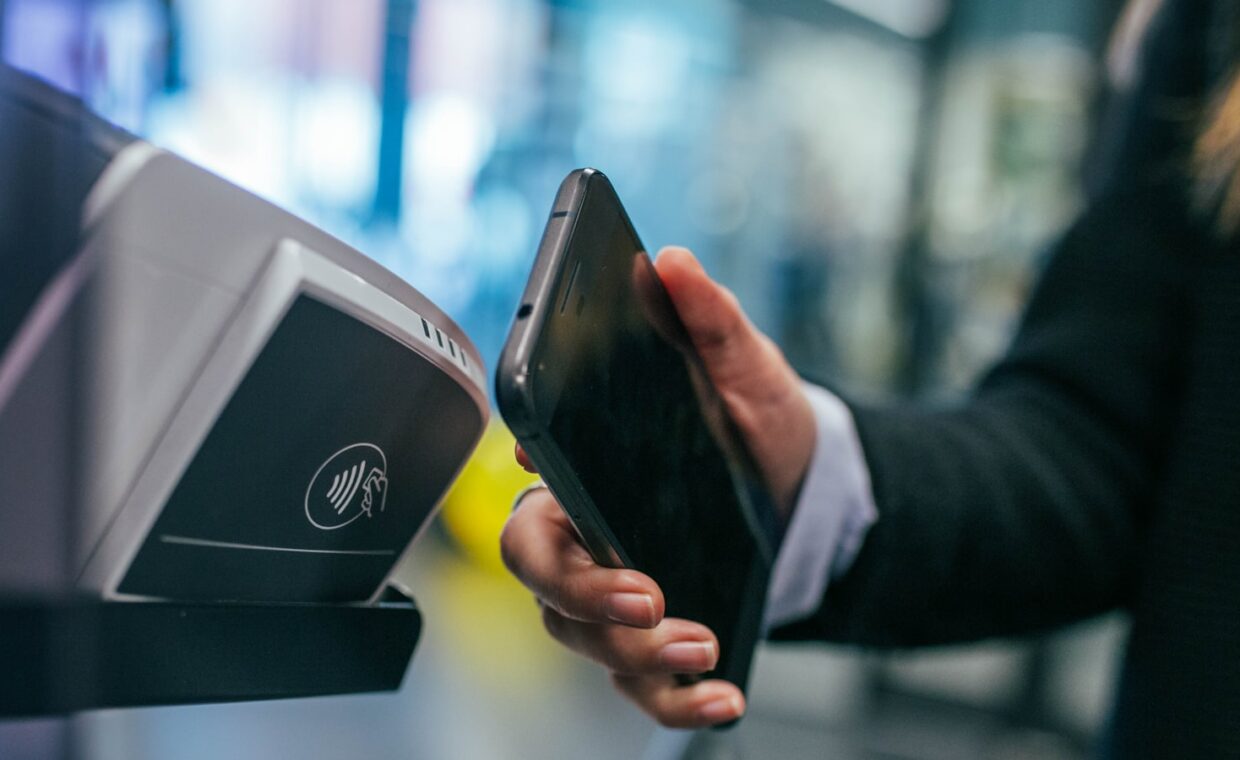
NFC, short for near-field communication, is a short-range radio standard that lets two devices exchange small bursts of data when they sit within a few centimetres of each other. During a payment, the phone does not broadcast your bank details across the room. It sends a short, structured message that names the payment application and passes a one-time cryptogram the terminal can check. The amount of data is tiny, measured in bytes, which is part of why the exchange finishes so quickly.
The terminal actually powers the conversation. Its reader coil generates a magnetic field, and the phone’s antenna draws a little energy from that field to reply, a technique called inductive coupling. Because the phone is answering a field the reader creates, both sides have to be close enough for that field to reach them. Phones carry several radios at once, and each behaves differently, the kind of contrast our rundown on why satellite positioning wanders lays out.
Why the range stays so short
Tap-to-pay works over roughly four centimetres or less, and that limit is deliberate as much as it is physical. The magnetic field a reader produces falls away steeply with distance, so the signal is only usable very near the coil. Designers settled on a frequency of 13.56 megahertz and a low power level that together make longer reach impractical without large antennas.
Short range is a safeguard, not a shortcoming to work around. A card number that could be read from across a queue would be easy to skim. Keeping the working distance to a couple of centimetres means the phone has to be held deliberately against the reader, so a stranger cannot quietly pull payment data from a pocket. That is also why the link breaks the instant you lift the phone away.
The secure element
The part of the phone that stores payment credentials is a secure element, a small tamper-resistant chip kept separate from the main processor and its operating system. It runs its own tiny software, holds cryptographic keys that never leave it, and is built to resist attempts to read its contents even with physical access. Some phones use a dedicated embedded chip, while others carve out a protected region of the main processor that behaves in a similarly isolated way.
When you approve a payment, the secure element signs the transaction with a key the terminal and payment network can verify, but which no app on the phone can extract. Keeping that chip trustworthy over years depends on steady maintenance, the durability question the guide on how long phones keep getting patches examines. Without that isolation, any compromised app could quietly read the keys and impersonate your card.
Tokens replace your card number
The number your bank printed on the card is called the primary account number. Modern tap-to-pay never hands that number to the shop. Instead, when you add a card to a phone wallet, the payment network issues a device-specific token, a separate string of digits tied to that one phone. Each transaction also carries a fresh cryptogram, so intercepting a single payment reveals nothing that can be reused elsewhere.
This tokenisation is why a leaked receipt or a breached merchant database does not expose your actual card. The token only functions from your device with its secure element, and it can be switched off remotely without cancelling the physical card. Because those credentials live in fixed hardware rather than a removable card or memory slot, the wallet ties tightly to the handset, the sealed-design point the walkthrough on phones that no longer take memory cards considers.
| Term | What it means |
|---|---|
| NFC | Short-range radio that carries the payment message |
| Secure element | Tamper-resistant chip holding the payment keys |
| Token | Device-specific stand-in for your real card number |
| Cryptogram | One-time code proving a payment is genuine |
| Contactless limit | Amount above which a PIN or extra check is required |
What goes wrong at the terminal
Most failed taps come down to a handful of causes. The phone may not have woken its payment app, the screen might be off on a device that needs it on, or the wallet may be waiting for you to confirm with a fingerprint or face check. Where you hold the phone matters too, since the antenna sits in a specific spot, often near the top or the centre of the back panel.
Other failures rest with the terminal or the bank. A contactless purchase above the local limit will ask for a card and PIN instead. A thick case, a nearly flat battery, or an older reader that only takes chip-and-PIN can each block a tap. Some accessibility and payment settings also change how confirmation behaves, the kind of option the article on phone settings many people overlook highlights.
Where this leaves you
Tap-to-pay is less a single feature than a chain of small safeguards. A short-range radio limits who can even begin the conversation, a secure element keeps the keys where no app can reach them, and tokenisation means the number the shop records is useless anywhere else. Each layer covers a weakness the others cannot, which is why the system holds up even though the tap itself looks trivial.
Treating a phone wallet as at least as safe as the plastic card is reasonable, provided the device stays locked and updated. The everyday problems are practical rather than criminal: a dark screen, an unread thumb, a case that is too thick, or a purchase over the contactless limit. Understanding which layer does what turns those awkward moments at the counter into something you can diagnose and fix on the spot.
Frequently asked questions
How does tap-to-pay work?
You hold the phone within a few centimetres of a contactless reader. The reader’s magnetic field wakes the phone’s NFC antenna, and the secure element sends a device token plus a one-time cryptogram instead of your real card number. The terminal passes that to the payment network, which verifies the code and approves the amount, usually in well under a second.
Is phone payment secure?
For most people it is at least as safe as a physical card. Your real number stays hidden behind a device-specific token, every payment carries a fresh cryptogram, and the keys sit in a tamper-resistant chip no app can read. A lost phone stays protected by its lock, and the wallet can be disabled remotely without cancelling the underlying card.
Why did my phone not tap to pay?
Common reasons include a screen that was off, a wallet still waiting for fingerprint or face confirmation, or the antenna not lining up with the reader. A purchase above the contactless limit needs a card and PIN, and a thick case, very low battery, or an outdated terminal can also block it. Try again holding the back of the phone flat against the reader.