A phone that suddenly charges slowly, holds a cable only at a certain angle, or refuses the plug entirely feels like a hardware failure in the making. Often it is nothing of the sort. The most common cause is a plug of packed lint sitting at the bottom of the port, blocking a clean connection between the cable and the contacts. Before booking a repair or writing off the phone, it helps to understand how the port wears, why lint is the usual suspect, and how to clear it without causing the damage you are trying to avoid.
How a charging port wears
A charging port is a mechanical connector, and every insertion and removal flexes its internal contacts a little. Over years of daily charging, those metal fingers lose some of their springiness, and the tight grip that once held a cable firmly begins to soften. Connectors are typically rated for thousands of insertion cycles, often around ten thousand, so a couple of plug-ins a day rarely exhausts them within a phone’s useful life. This is normal wear, and on most phones it happens slowly enough that the port outlasts the rest of the device.
Heat, moisture, and grit speed the process up. Charging in a hot car, carrying the phone in a dusty pocket, or plugging in with slightly damp hands all leave residue or corrosion on the contacts. How much this matters depends partly on how long you plan to keep the phone, which ties into the broader question of how many years of updates to expect before a replacement makes sense anyway.
Lint, the usual culprit
Pockets and bags are full of fabric fibres, and the charging port is a small open cavity that collects them. Every time you slide the phone into a pocket, the port scoops up a little more lint. It compresses at the bottom into a dense, felt-like pad, and because it builds gradually, you rarely notice until a cable stops seating fully.
The tell-tale sign is a cable that feels like it no longer pushes in as far as it used to, or one that works only when you press or angle it. That gap is the compacted lint holding the plug away from the contacts. The good news is that this is entirely fixable at home, and it is the first thing to check before assuming anything has broken.
Cleaning it safely
The aim is to lift the debris out without bending a contact or pushing lint deeper. Work in good light, take your time, and follow these steps in order.
- Power the phone off completely before you start, so nothing inside the port is live.
- Shine a bright light into the port and look closely, ideally with a magnifier, to see the lint pad at the bottom.
- Use a wooden or plastic toothpick, never metal, to gently loosen and hook out the debris a little at a time.
- Work from the edges inward, scraping the lint toward the opening rather than packing it further down.
- For remaining fine dust, give a short burst of compressed air held upright, or sweep it with a soft antistatic brush.
- Test with a cable, and if it now clicks in firmly and charges normally, the job is done.
Avoid liquids, cotton buds that shed fibres, and anything metal that could short the contacts or scratch them. Patience matters far more than force here.
USB-C and older connectors
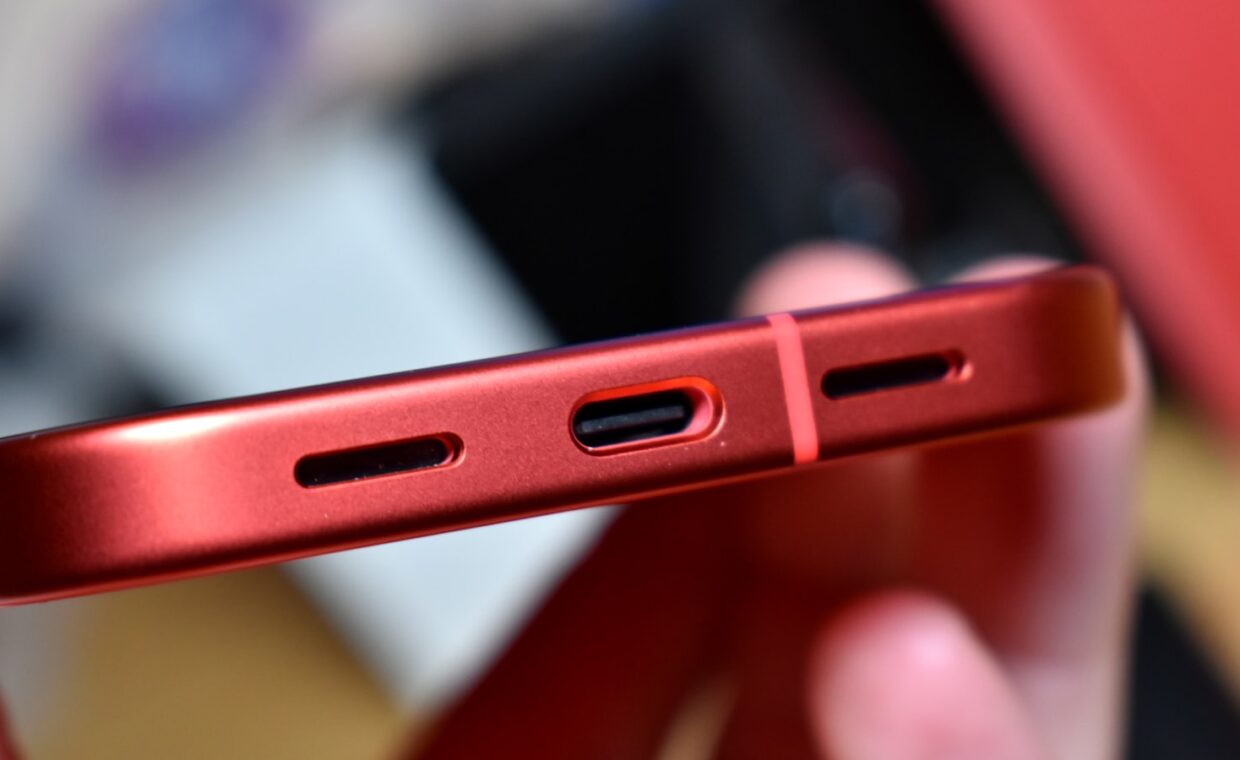
The type of port changes the cleaning slightly. A USB-C port has a small flat tab in the centre that carries many of the contacts, and it is fragile, so you must work around it rather than levering against it. Its reversibility is a real convenience, since there is no wrong way up, but that central tongue is also the part most easily bent by forcing a plug or a careless cleaning tool. Older micro-USB ports have a shallower cavity and a shaped slot, which traps lint just as readily but gives you a little more room to reach in.
Charging figures such as wattage and cable ratings often sit on a spec sheet next to the port type, and reading them takes the same careful eye as the numbers covered in reading a camera spec sheet. Whatever the connector, the cleaning principle is identical: remove the obstruction gently and keep metal tools away from the pins.
When the port is genuinely failing
Sometimes the port really is the problem. If you have cleared all visible lint and a known-good cable still charges intermittently, wobbles loosely, or works only under pressure, the internal contacts or the solder joints on the board may be worn or cracked. A port that grows hot, smells scorched, or shows green corrosion needs professional attention rather than more cleaning.
Before concluding the hardware has failed, rule out software, since a stalled charging routine can sometimes be cleared by a restart or a pending system update, which is where weighing whether to install an update straight away becomes relevant. If the port itself is truly damaged, a repair shop can usually replace it for far less than a new phone costs.
Protecting the phone’s value
A clean, firm-fitting port is worth more than the small effort it takes to keep it that way. Charging trouble is one of the first faults a buyer or an assessor notices, and it drags down what a device is worth, which feeds directly into how trade-in values are worked out. A quick clean every few months, plus some care about where you carry the phone, keeps the connection healthy for years.
The wider lesson is to diagnose before you spend. A symptom that looks like an expensive failure is often a two-minute fix with a toothpick and a torch. Treating the port gently, keeping it free of lint, and ruling out software will resolve the large majority of charging complaints without any repair at all.
Common questions, answered
Why is my charging port loose?
Two things cause looseness. Compacted lint at the bottom stops the plug seating fully, so it wiggles in a shallow, partly blocked port. Alternatively, years of use can relax the metal contacts that grip the cable. Clean the port first, because that fixes most cases. If a cable still feels slack in a spotless port, the contacts have worn and may need a repair.
How do I clean a charging port safely?
Turn the phone off, then look inside with a bright light. Use a wooden or plastic toothpick to hook out the lint gently, working from the edges toward the opening so you do not pack it deeper. A short burst of compressed air clears fine dust. Avoid metal tools, liquids, and cotton buds, all of which can short, corrode, or shed fibres into the port.
Why does my phone charge only at an angle?
Charging at a particular angle almost always means something is holding the plug away from the contacts, and the pressure of angling it restores momentary contact. The usual culprit is a lint pad at the base of the port. Clean it out carefully and the cable should seat straight and firmly again. If it persists after a thorough cleaning, the internal contacts are likely worn.