Biometric sign-in, whether a fingerprint reader or face recognition, has become standard on laptops because it is faster and more pleasant than typing a password. It is genuinely useful, and it is also frequently misunderstood, both in what it protects and in where your fingerprint or face data actually goes. Understanding both lets you use it confidently rather than either over-trusting or needlessly fearing it.
Where your fingerprint actually goes
A common fear is that a laptop stores an image of your fingerprint that could be stolen. It does not. During enrolment the reader converts your fingerprint into a mathematical template, a set of numbers describing features of the print, and stores that template in a protected area of the hardware. The original image is not kept, and the template cannot be reversed back into a usable fingerprint. It also stays on the device rather than being uploaded, so the concern that your fingerprint is sitting on a server is misplaced for a properly designed laptop.
Face recognition works similarly, storing a mathematical map of facial features rather than a photo. The better systems use an infrared camera that senses depth, which is why they work in the dark and cannot be fooled by a flat photograph, a meaningfully different thing from a plain webcam doing face matching, and a distinction worth knowing given the sensor limits covered in the explainer on laptop webcam quality and privacy.
What biometrics actually protect, and what they do not
| Threat | Biometrics help? | Why |
|---|---|---|
| Someone using your unlocked-looking laptop | Yes | They cannot sign in without your finger or face |
| Casual shoulder-surfing of a password | Yes | Nothing typed to observe |
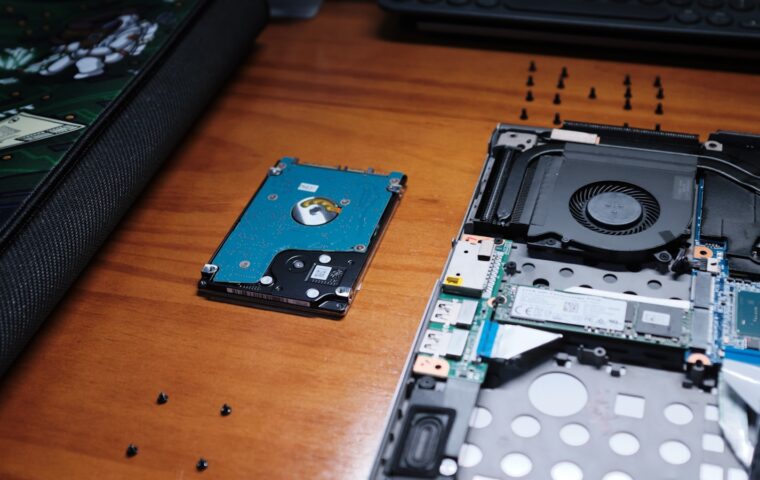
| A stolen laptop with the drive removed | No | Only full-disk encryption protects the data |
| A determined attacker with time and resources | Partly | Biometrics are convenience-grade, not high security |
The key point is that biometrics are a convenient way to prove it is you at the keyboard, not a vault. They protect against someone casually accessing your session. They do nothing to protect the data if the drive is removed and read elsewhere, which is the job of full-disk encryption, a separate protection worth enabling especially before travelling, as the checklist on travelling with a laptop safely stresses.
The PIN or password never goes away
Biometrics always sit on top of a PIN or password, never replacing it entirely. The machine still has a password, and the biometric is a faster path to the same unlock. This matters because you will occasionally need the fallback: after a restart, when a fingerprint is not recognised, or if the reader fails. A biometric that stops working is an inconvenience rather than a lockout, because the password is always there underneath. It also means the strength of your protection is still the strength of that password, since an attacker can target it directly.
Enrolment, false rejects, and reliability
Fingerprint readers occasionally fail to recognise a finger, more often when the finger is wet, cold, dry, or dirty, or when it was enrolled hastily. Enrolling the same finger a couple of times, and enrolling a second finger as backup, improves reliability considerably. Face recognition can struggle in very bright backlight or if your appearance changes significantly, though infrared systems are robust to most day-to-day changes.
None of these failures are security problems; they are recognition failures that fall back to the PIN. A reader that has become unreliable over time is usually dirty rather than broken, the kind of small maintenance point that belongs alongside the routine in our look at keeping the physical parts of a machine healthy. On a convertible used in tablet mode, the placement of a fingerprint reader matters more, since you hold the machine differently, a consideration noted in the piece on how convertible laptops are used. And a reader that runs warm is nothing to worry about, unlike genuine heat problems, which have their own management approaches in the article on whether cooling accessories help.
Setting it up well
A few minutes at enrolment saves months of small frustrations. For a fingerprint, enrol the finger you will actually use, usually an index finger or thumb of your dominant hand, and enrol it twice under slightly different angles and pressures so the reader has a fuller picture. Add a second finger as a backup, because there will be times your main finger is wet, cold, or occupied, and a fallback finger is faster than typing the password. For face recognition, enrol in normal lighting and, if the system allows, add your appearance with and without glasses.
It is also worth deciding honestly whether you want biometrics at all on a given machine. On a personal laptop used at home, the convenience is a clear win with little downside. On a machine that holds sensitive material and travels, you may prefer to rely on a strong password and full-disk encryption, treating the biometric as a convenience you can disable. Biometrics are a tool, not an obligation, and the right choice depends on what the machine holds and where it goes.
Frequently asked questions
Is laptop fingerprint login secure?
Secure enough for convenience, which is its purpose. Your fingerprint is stored as an irreversible mathematical template in protected hardware, not as an image, and it stays on the device. It stops casual access to your session, but it does not protect data if the drive is removed, and it always sits on top of a PIN or password that remains the real key.
Does face unlock work in the dark?
If it uses an infrared camera, yes, because infrared senses facial depth without visible light, which is also why it cannot be fooled by a photograph. A system that relies on the ordinary webcam struggles in the dark and is less secure. Whether a laptop has infrared face recognition is worth checking if you value that feature.
Where is my fingerprint data stored?
In a protected area of the laptop’s own hardware, as a mathematical template rather than an image of your print, and it is not uploaded anywhere on a properly designed machine. The template cannot be reversed into a usable fingerprint, so the fear of your actual fingerprint being stolen from the device is misplaced.