Walk into an electronics shop or scroll a retailer’s storage page and the external drives blur together, a wall of similar boxes quoting capacities and speeds that rarely mean what they seem to. Choosing well is less about the flashiest number and more about matching a drive to how you will carry it, connect it and trust it. This guide walks through the real decisions, portable SSD or spinning hard drive, the gap between an interface label and true throughput, how the drive draws power, how it survives knocks, and how to keep its contents private if it goes missing.
Portable SSD or spinning hard drive
The first fork is the kind of storage inside. A portable solid-state drive has no moving parts, starts instantly, stays silent and shrugs off the small bumps of daily carrying. A portable hard drive spins a physical platter, which makes it slower to wake and more delicate, but it buys you far more capacity for the same money, which still matters for large archives.
Endurance differs too. Flash cells accept a finite number of writes, though a typical portable SSD will outlast years of ordinary backups long before that limit bites, a lifespan question the walkthrough on how an SSD gradually wears with use sets out in full. A hard drive has no write limit in that sense, but its mechanical parts are the part most likely to fail if the drive is dropped while running.
| Factor | Portable SSD | Portable hard drive |
|---|---|---|
| Real-world speed | Hundreds of megabytes per second or more | Roughly 100 to 160 megabytes per second |
| Capacity for the money | Lower per terabyte | Much higher per terabyte |
| Shock resistance | High, no moving parts | Low while spinning |
| Power draw | Modest, bus powered | Higher, sometimes needs help |
| Noise and heat | Silent, warms under load | Audible, runs cool |
Interface labels versus real speed
The port on the box tells only part of the story. USB naming has been renamed so often that the same 10 gigabit-per-second standard has carried several titles, and a fast connector does not force the drive inside to keep up. A hard drive limited to about 150 megabytes per second will not go quicker on a 20 gigabit port, because the platter, not the cable, is the bottleneck.
Two figures matter more than the headline. One is the drive’s own sustained rate, the speed it holds after its fast cache fills during a long copy. The other is whether your computer’s port matches the drive’s, since plugging a quick SSD into an older, slower socket throttles it. Sustained transfers also generate heat, and a drive that throttles when hot slows down partway through, a cooling issue the article on why the quickest drives sometimes need cooling explains.
Bus power and enclosure quality
Most portable drives are bus powered, meaning they draw everything they need from the single cable that also carries data. That keeps things tidy, with no separate adapter to lose. The catch appears with larger desktop hard drives and some older laptops or hubs, where the port cannot supply enough current and the drive clicks, disconnects or refuses to mount.
The enclosure around the drive is easy to overlook and does real work. A metal shell pulls heat away from an SSD so it can hold its speed, while a thin plastic case traps it. The bridge chip that translates between the drive and the USB port also affects reliability and whether features like TRIM pass through, so a cheap enclosure can undermine a good drive.
Shock, drops and daily carrying
How rough your life is on hardware should steer the choice. If the drive lives on a desk and moves rarely, a plain hard drive is fine and stretches your budget. If it rides in a bag, gets handed between people or travels to shoots and sites, the lack of moving parts in an SSD is worth paying for, and rugged models add rubberised bumpers and sealing against dust and water.
Whatever you pick, a single external drive is one device that can be lost or fail, not a safety net on its own. Genuine protection comes from having more than one copy in more than one place. That is a different job from the redundancy inside a multi-drive array, and the distinction our coverage of what drive redundancy does and does not cover draws is worth keeping in mind before you trust anything to a lone disk.
Keeping the contents private
A drive you carry is a drive you can leave behind on a train, so encryption deserves thought before you load it with anything personal. The simplest route is software encryption built into your operating system, which scrambles the contents with a password you set and costs nothing. It is reliable, though it ties the drive to that platform’s tools unless you choose a cross-platform format.
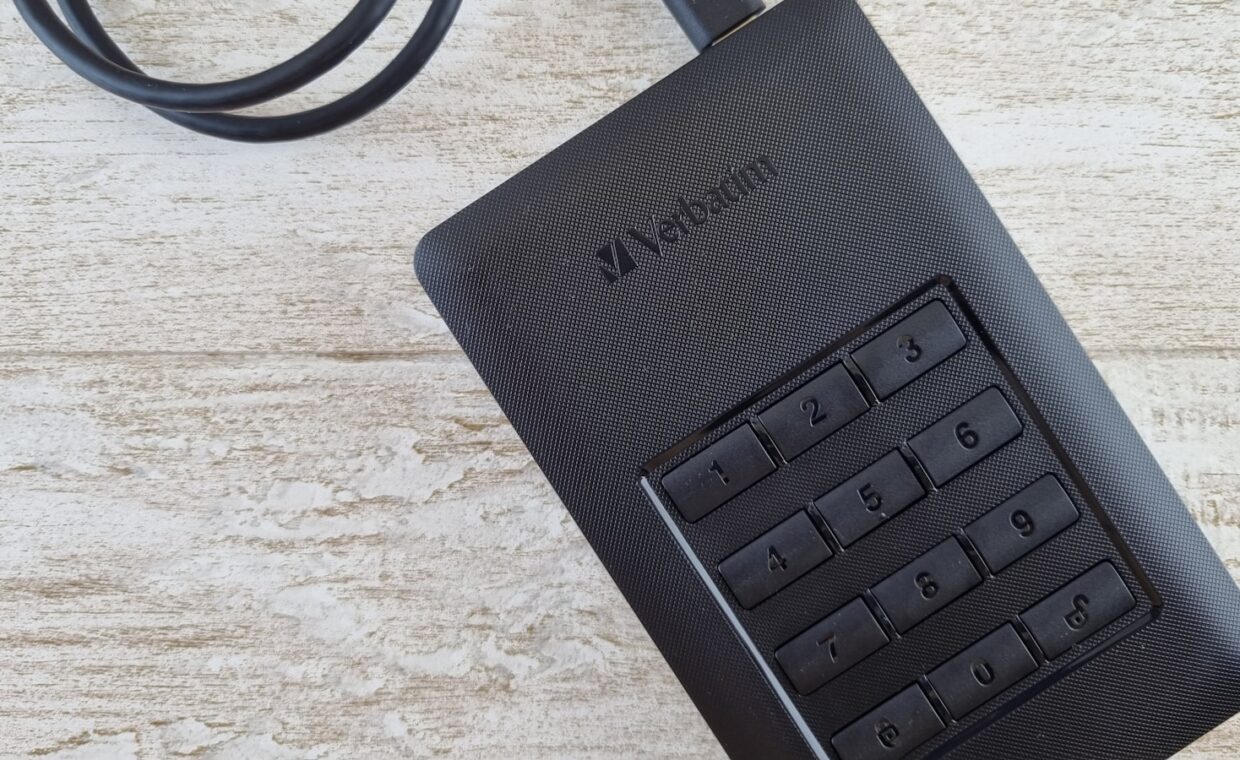
Some drives offer hardware encryption instead, handling the scrambling on a chip inside the enclosure, sometimes with a physical keypad. That keeps the process independent of the computer and can be quicker, but you are trusting the vendor’s implementation, and a forgotten password or a failed controller can put the data permanently out of reach.
Matching the drive to the task
Start from the work rather than the price tag. For editing video or shifting large project files between machines, a bus-powered SSD on a matching port earns its cost in time saved and in surviving the journey. For a deep archive of photos or finished work you rarely touch, a roomy hard drive gives you the most space per pound, provided you keep a second copy elsewhere.
For light, occasional transfers a small flash stick can be enough and slips onto a keyring, though the same care over sustained speed and reliability applies, the points the breakdown of choosing a dependable USB flash drive covers. Decide how the drive will travel, confirm your port can feed and drive it properly, and settle encryption before the first file lands, and the wall of similar boxes stops being a gamble.
Common questions, answered
Should I buy an external SSD or HDD?
Choose an SSD when speed and durability lead, for video work, carrying a drive daily, or moving large files often, since it is quick and has no moving parts. Choose a hard drive when you want the most capacity for the money and the drive mostly stays put, such as a home archive. Many people keep one of each for different jobs.
Are portable SSDs reliable?
Generally yes, and their lack of moving parts makes them more tolerant of knocks than spinning drives. Flash does wear with writing, but a normal backup and transfer routine stays well within a good drive’s rated endurance for many years. The usual real risks are loss, theft or a failed enclosure, so keep a second copy and enable encryption on anything sensitive.
Do I need a powered external drive?
Only for drives that draw more current than a single port can supply, which mainly means larger desktop hard drives using 3.5 inch mechanisms. Portable SSDs and 2.5 inch hard drives are almost always bus powered from one cable. If a drive disconnects, clicks or fails to mount on an older laptop or hub, a powered model or a mains-fed hub usually cures it.